Sound Capsule
Multi-mic capture with crosstalk and spatial processing
AI ENHANCEMENT • STUDIO CLOUD
Professional voice clean up for podcasts, interviews & videos
Turn noisy recordings into clear, professional sounding audio in seconds without plugins, editing skills, or complicated workflows.
Included on every Studio Cloud plan – even free.
AI-powered noise removal
Works with any microphone
No plugins or software to install
Original recording always preserved
Trained on dialogue and voice
HOW IT WORKS
Clean up noisy recordings with AI audio enhancement
Fast AI audio clean up directly in your browser. No desktop software, no plugin subscriptions, no file size limits that force you to split recordings.
Try it free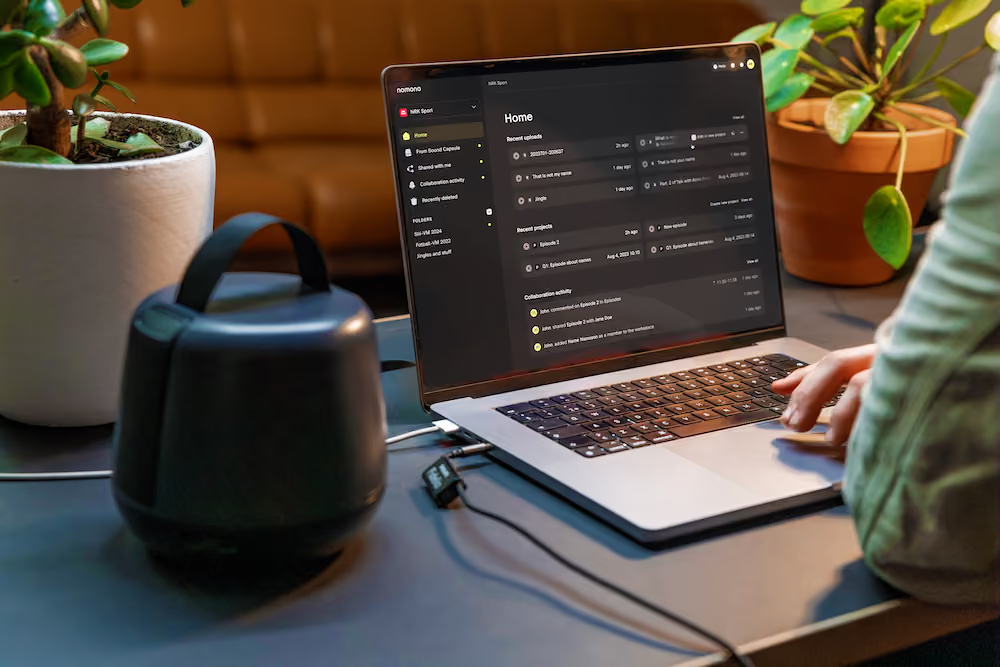
Upload your recording
Drag your audio file into Studio Cloud, or record directly with any Nomono kit for automatic cloud sync.
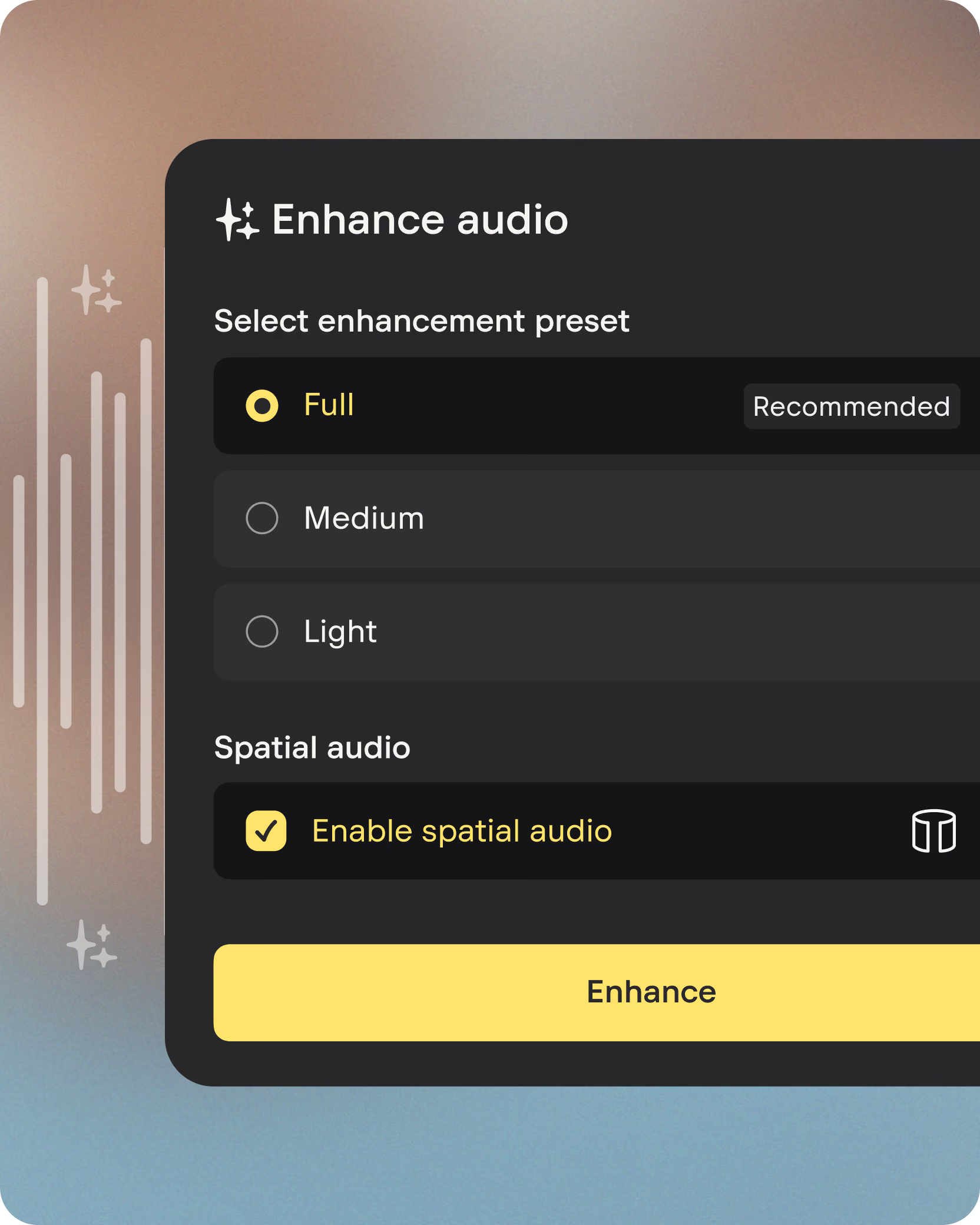
Choose your enhancement preset
Select Full, Medium, or Light Enhancement depending on how much processing your recording needs.
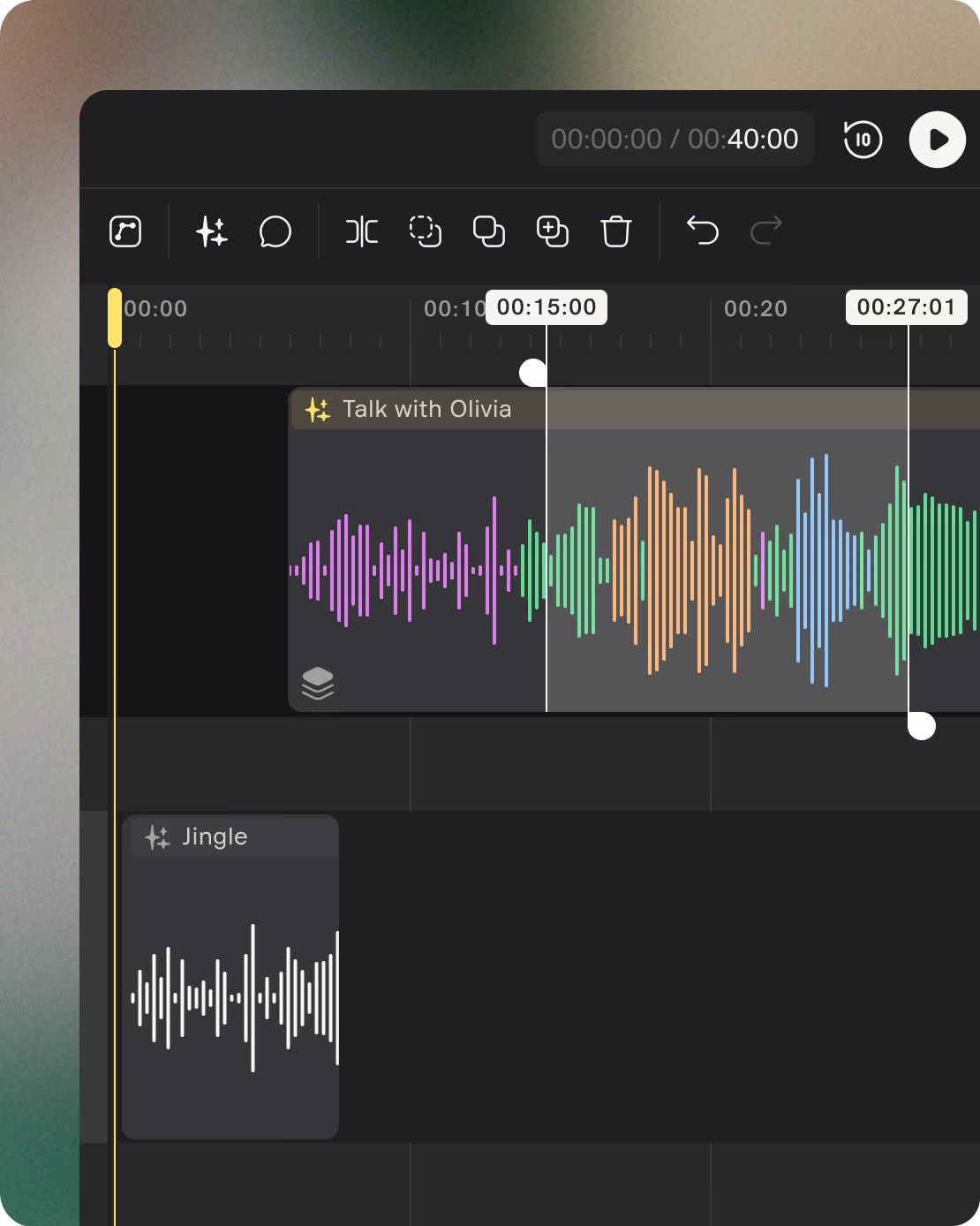
Download broadcast-ready audio
Your audio is cleaned, levelled, and ready to publish, while your original stays safely untouched.
Any desktop or mobile browser
WAV, MP3, AIFF, FLAC, OPUS, OGG
No file size limit
Enhanced and original download separately
Studio-quality sound in one click
One tap activates AI Enhancement.
Hear the difference.
AI PROCESSING STACK
Everything that makes
audio hard to listen to.
The enhancement engine runs a full stack of AI-powered processes, each trained specifically on dialogue recordings.
Background noise removal
AI denoiser identifies and reduces broadband noise — air conditioning, HVAC, traffic, and handling noise — while keeping voices clear and natural.
DENOISER
Echo and reverb reduction
Reduces room echo and reverb that accumulates in untreated spaces like offices, meeting rooms, and home studios.
Room Acoustics
Adaptive level normalization
Levels out loudness differences between speakers and within a single track, normalising to broadcast standard (-23 LUFS) without raising the noise floor.
LEVELER + NORMALIZATION
Hum and electrical noise
High-pass filter removes frequencies below the speaking voice range, eliminating electrical hum. Notch EQ targets constant pitched noise sources like buzzing light dimmers.
HIGH-pASS + NOTCH EQ
Sibilance removal
De-esser identifies and reduces harsh, hissing s-like sounds — common with close-mic technique or certain microphone types.
DE-ESSER
Crosstalk reduction
When multiple microphones are in use, the AI reduces crosstalk bleed between voice tracks that would otherwise create phasing artifacts and muddy the mix.
MULTI-MIC AI
Enhancement presets
Choose the level of cleanup that fits your recording
Three presets let you control the depth of enhancement. You can re-enhance
at any time, and switch presets without losing your original recording.
FULL ENHANCEMENT
Complete cleanup, one click.
The full AI processing stack applied in one step. Ideal for when you need fast, fully polished, ready-to-use audio or when you’ve recorded in a noisy environment. Recommended for most podcasts and interviews.
MORE DETAILS


Maximum/ Adaptive leveller + normalization
De-esser + tone-shaping EQ
Crosstalk reduction (multi-mic)
MEDIUM ENHANCEMENT
AI handles the heavy lifting.
Most of the processing stack applied, with headroom left for manual adjustments in the editor. Ideal when you want AI noise reduction but plan to do some fine-tuning yourself.
MORE DETAILS
Denoiser + echo reduction
Adaptive leveller + normalization
Crosstalk reduction (multi-mic)

Tone-shaping EQ (manual)
LIGHT ENHANCEMENT
Polish without the processing.
Gentle levelling and high-pass filtering only. Best for recordings that are already clean — captured in a treated space or with a high-quality condenser mic.
MORE DETAILS
Adaptive leveller + normalization
High-pass filter
Denoiser (off)
De-esser (off)
Compatible sources
Works with any recording setup you already have
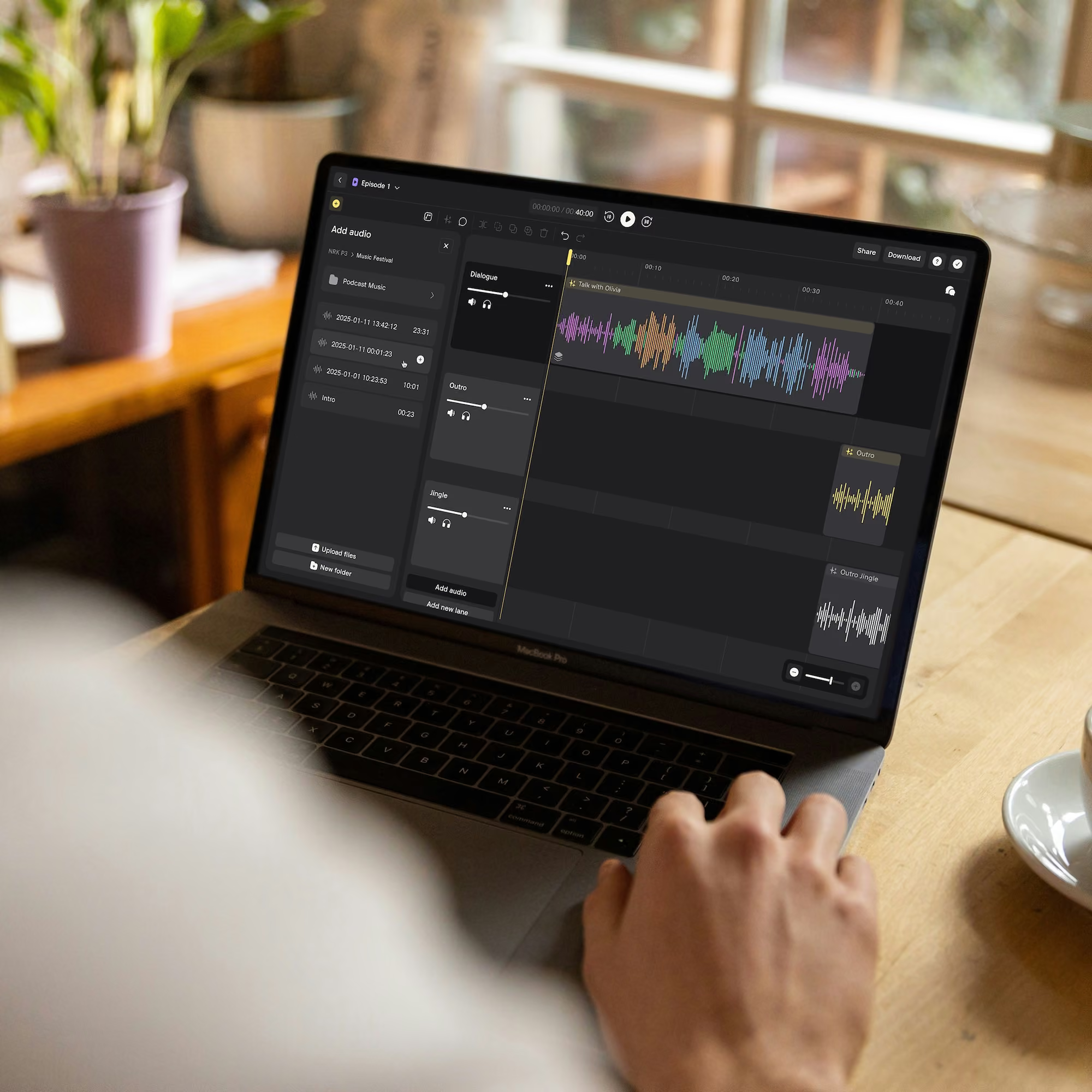
AI Enhancement works on any voice recording — upload files from your existing microphone setup and the same processing applies. Sound Capsule or Stellar Kit recordings get the tightest integration, but you will get strong results from any clean voice source.


USB or XLR microphone
Any condenser or dynamic mic recording to a DAW or interface
Any condenser or dynamic mic recording to a DAW or interface

Smartphone recording
Field recordings, voice memos, mobile interview apps
Field recordings, voice memos, mobile interview apps

Video call recording
Zoom, Teams, or Riverside session exports
Zoom, Teams, or Riverside session exports
SUPPORtED AUDIO FORMATS
Lossless:
WAV, AIFF, FLAC
WAV, AIFF, FLAC
COMPRESSED:
MP3, OPUS, OGG
MP3, OPUS, OGG
ChANNELS:
MONO, STEREO, MULTI-TRACK
MONO, STEREO, MULTI-TRACK
Optimised for human dialogue and voice recordings.
Not recommended for music, sound effects, or non-dialogue content.
Not recommended for music, sound effects, or non-dialogue content.
HOW IT COMPARES
Audio enhancement built into the full production workflow.
Most AI audio tools only remove noise. Nomono cleans audio, levels it, and keeps it inside the same platform where you edit, collaborate, and export. Your voice sounds better.
Feature
Nomono Studio Cloud
Krisp
Adobe Podcast Enhance
Auphonic
AI noise removal

Full denoiser stack
Real-time
File-based
File-based
Echo / reverb reduction
Partial
Loudness normalization (-23 LUFS)

Multi-speaker crosstalk reduction
Non-destructive
Gate and ducking based
Cloud editing and collaboration
Studio, transcript-based
Limited
Audio/Video sync
Transcription
Meeting notes
Part of Adobe Podcast Studio
Via integration
Original recording preserved
Non-destructive
Real time
Spatial / ADM export
For Sound Capsule recordings
Frequently asked questions
Does Nomono AI Enhancement work on recordings from any microphone?

Yes. Nomono AI Enhancement works with recordings from USB mics, XLR setups, smartphones, video calls, and Nomono recording kits. It’s designed specifically for spoken audio like podcasts, interviews, and voice recordings.
What types of background noise does the AI remove?
Nomono removes common background noise including traffic, air conditioning, keyboard sounds, electrical hum, wind noise, room echo, mic handling noise and more. It also balances speaker levels and softens harsh vocal frequencies automatically.
Is AI Enhancement free to use?
AI speech enhancement is included in all Nomono Studio Cloud plans, including the Free plan. Usage is measured in minutes processed per billing cycle. Free plan includes 120 minutes of AI enhancement per month and 75 GB of Cloud storage. Paid plans include significantly higher enhancement minute allowances. You can check your remaining minutes at any time in Workspace Settings.
What is the difference between the three enhancement presets?
Light Enhancement applies gentle levelling and high-pass filtering only, suited for already clean recordings. Medium Enhancement applies most of the processing but leaves headroom for manual adjustments. Full Enhancement applies the complete AI processing stack in one click — best for recordings that need the most cleanup or for fast turnaround workflows.
Can I still access the original unprocessed audio after enhancement?
Yes. Nomono Studio Cloud preserves your original recording separately. You can download either the enhanced version or the original at any time from the download menu. Enhancement is non-destructive — you can re-enhance with a different preset at any time.
Does AI Enhancement work on music, sound effects, or jingles?
No. The AI Enhancement engine is trained specifically for human dialogue and voice recordings. Applying it to music or sound effects may produce unexpected results. You can still include music in your episode alongside enhanced voice tracks.
How does Nomono AI Enhancement compare to Krisp or Adobe Podcast Enhance?
Krisp and Adobe Podcast Enhance apply noise suppression as standalone tools. Nomono AI Enhancement is part of a full production workflow — the same platform handles noise removal, levelling, editing, transcription, collaboration, and audio/video sync. If you record with a Nomono Sound Capsule, the enhancement is further optimised to the hardware’s multi-mic capture, which improves crosstalk reduction and spatial voice distribution.
Clean the noise.
Keep the story.
AI Enhancement is live now for all Studio Cloud users. Upload your first
recording for free. No software to install, no credit card required to get started.


.svg)


