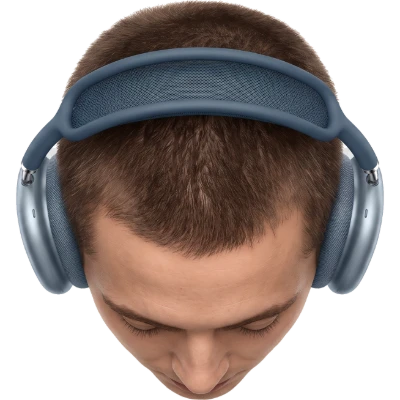
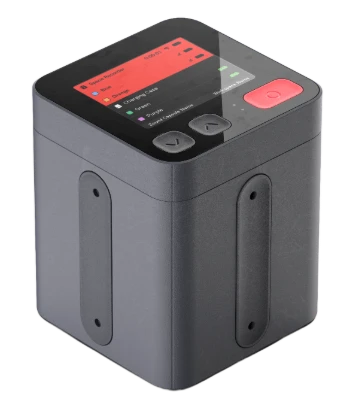
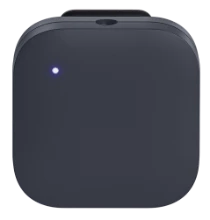
Listener, seen from above
Nomono Space Recorder
MIC 1
MIC 2
MIC 3
MIC 4
Tracked position · m / azimuth
MIC 10.0 m0°
MIC 20.0 m0°
MIC 30.0 m0°
MIC 40.0 m0°
Every mic’s distance and azimuth, tracked relative to the Space Recorder
SPATIAL AUDIO • FOR PRODUCTION TEAMS

Create object-based audio without manual panning

Record with Sound Capsule or your own ambisonic mic and lavs. Nomono tracks where every voice is during the take, so each one arrives as a positioned object over an ambisonic bed of the room. Deliver Atmos*, broadcast ADM or Eclipsa Audio** from the same take.

What does it sound like?

Recorded with Nomono Sound Capsule at Vår Frues Kirke (the Church of Our Lady) in Trondheim, a church that has stood there for almost 1,000 years.

It has been mixed to sound like you were in the room, keeping all the little imperfections: people coughing, camera shutters clicking, squeaks from the pews and the musicians tapping their feet to the rhythm.

Use 3D and ST in the bottom left of the player to switch between binaural and stereo.

Brought to you by Esfera

Music: “Sumarkveld i Nivlheim” by Olav Mjelva & Dreamteam, composed by Olav Mjelva. The title roughly translates to “Summer night in the land of darkness and fog”.

INTO YOUR SESSION

It lands in the DAW
you already use

Stems and objects

Per-mic stems for editing, objects for the spatial mix. Take both.

ADM metadata intact

Positions travel inside the file, so the renderer reads what we recorded.

No plugin required

Standard files in, standard files out. Nothing to install.

Works with DaVinci Resolve, Nuendo, Pro Tools, Logic Pro, Studio One and others.

Bring your own mics

Already have mics you trust? Use them.

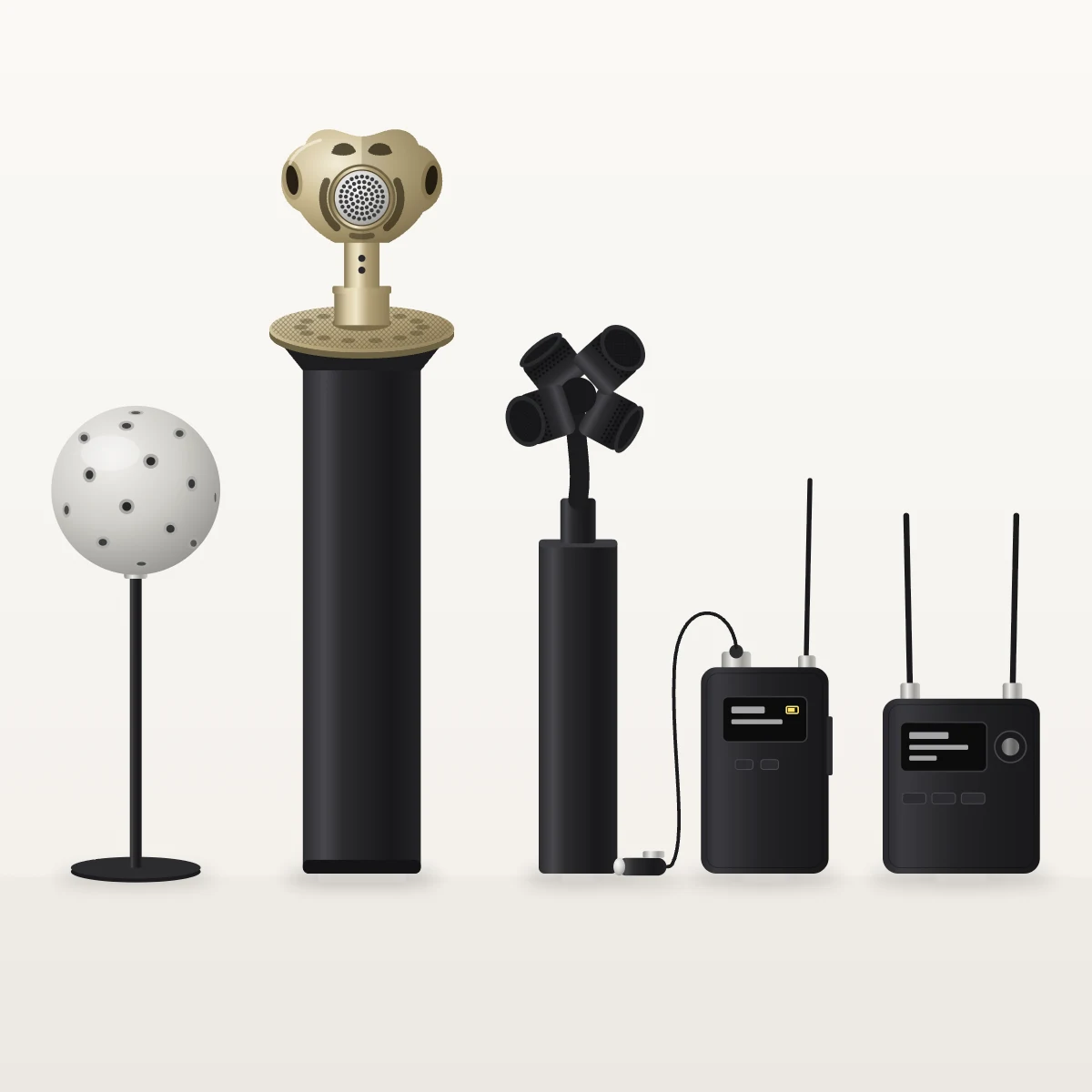
Illustration of third-party mics: two tetrahedral ambisonic mics (gold and black), a 32-capsule spherical array, a lav mic with compact wireless transmitter, and a dual-antenna receiver.

Upload an ambisonics recording from your own array as the room bed, and add close-mic tracks from any brand of wireless lav mics. Our processing, your gear: enhancement and export work the same either way.

Ambisonics mics

We currently support A-format recordings from the usual suspects. B-format support is coming soon – meaning any array will be supported. Reach out for a demo!

Any lav works

Third-party lavs run through the same enhancement and export pipeline. Sync them with ambisonics using timecode, or record everything to the same recorder. The better the sync, the better the positioning will be – which is why Nomono's wireless mics are optimal for positioning. We can guarantee sync within 3 ms. Timecode is only frame accurate (within 40 ms at 25 fps).

Illustration of third-party mics: two tetrahedral ambisonic mics (gold and black), a 32-capsule spherical array, a lav mic with compact wireless transmitter, and a dual-antenna receiver.

Tested against a growing list of first-order arrays – ask us about yours and we'll confirm before you buy.

Three layers, all of them yours to mix

Four voices as discrete
audio objects

Chevron

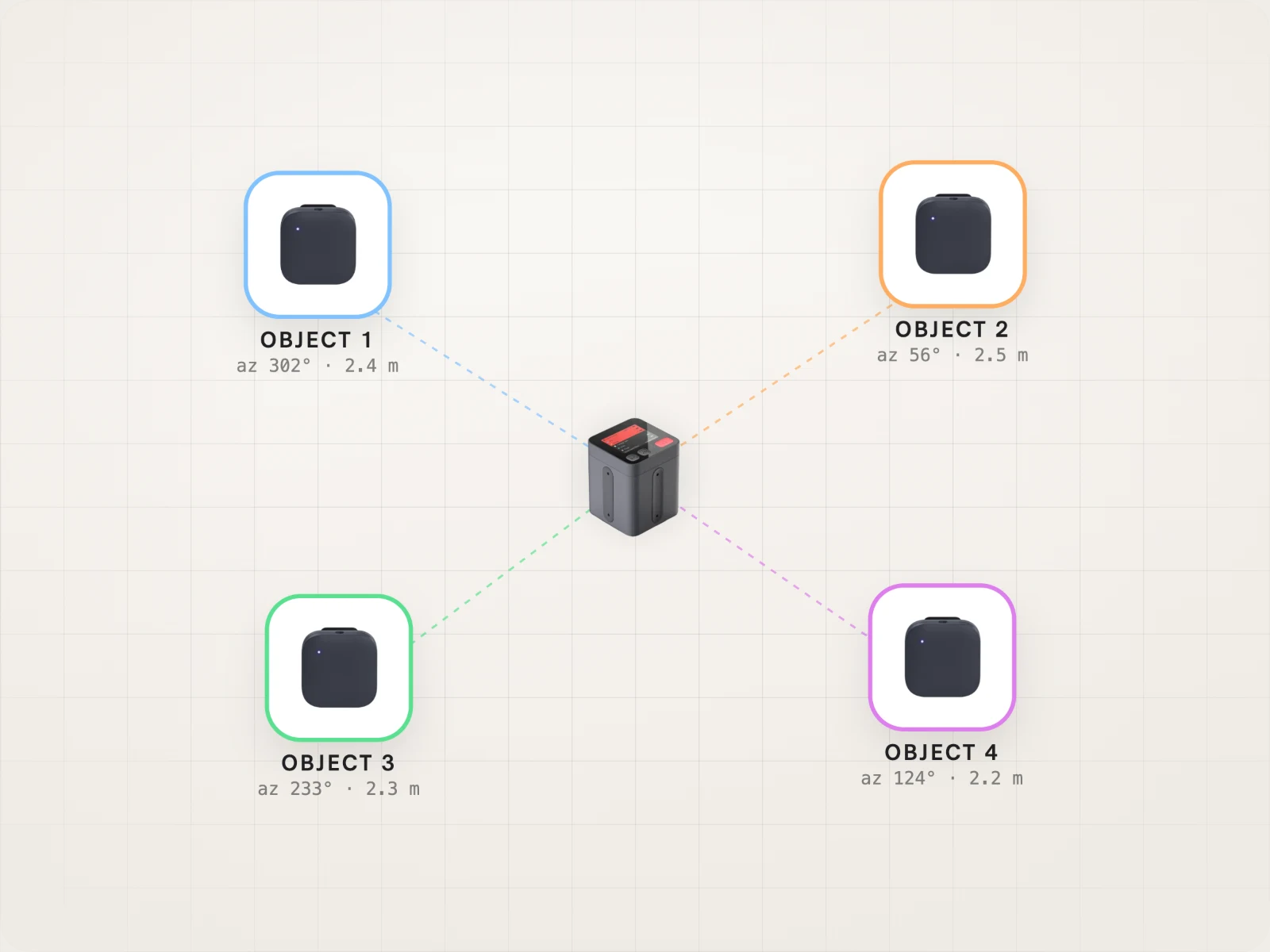
Each Stellar mic becomes its own object with position metadata attached – pan it, ride it, or move it in your session without touching the others.

Top-down diagram: four Stellar mics placed around the Space Recorder, each tagged as a separate audio object with azimuth and distance.

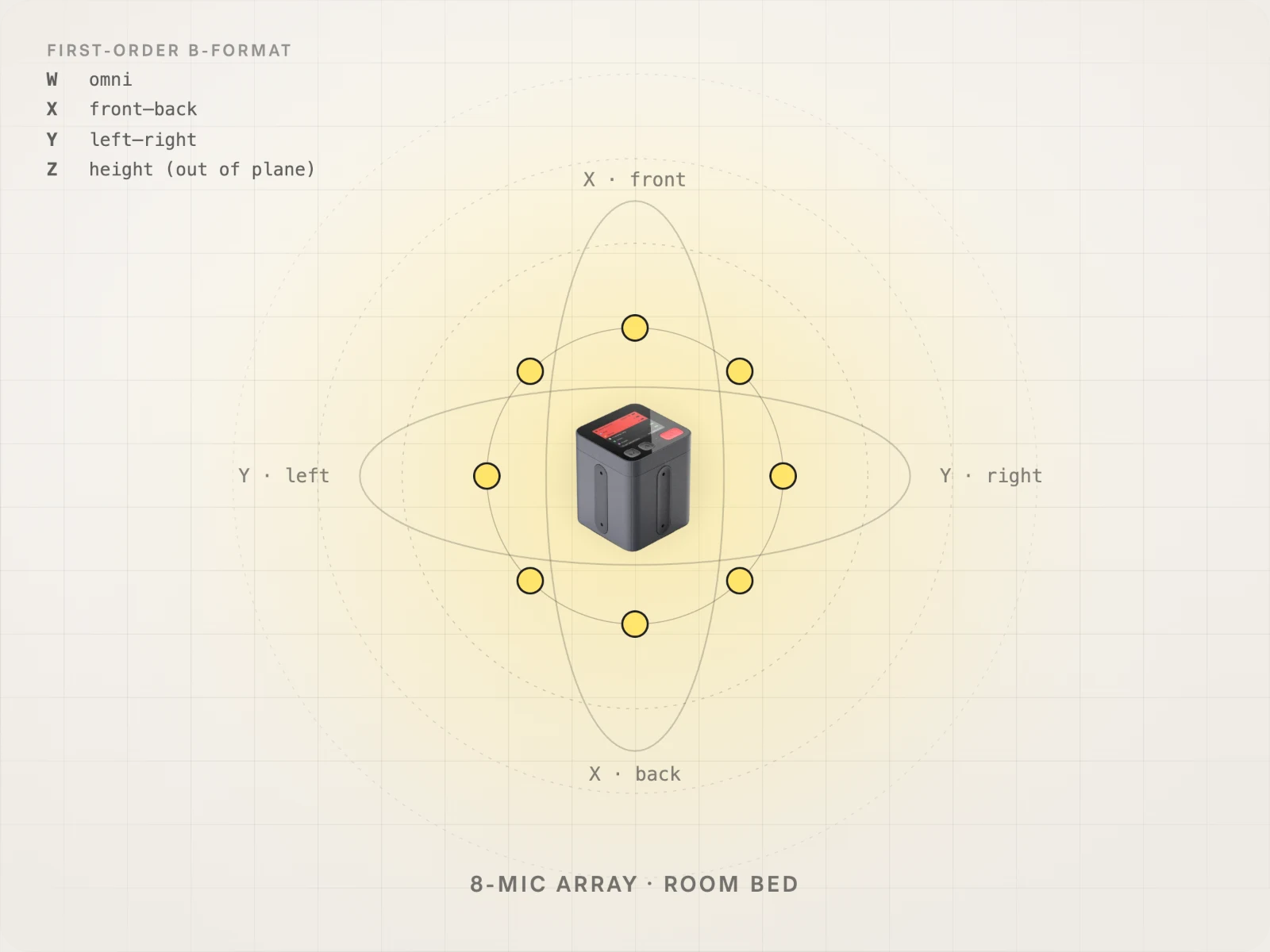
The 8-mic array captures the space itself. Keep it for a sense of place, or pull it down when the dialogue has to sit dry.

Top-down diagram: the Space Recorder's 8-mic array capturing the room as a first-order ambisonic bed, with front–back and left–right axes.

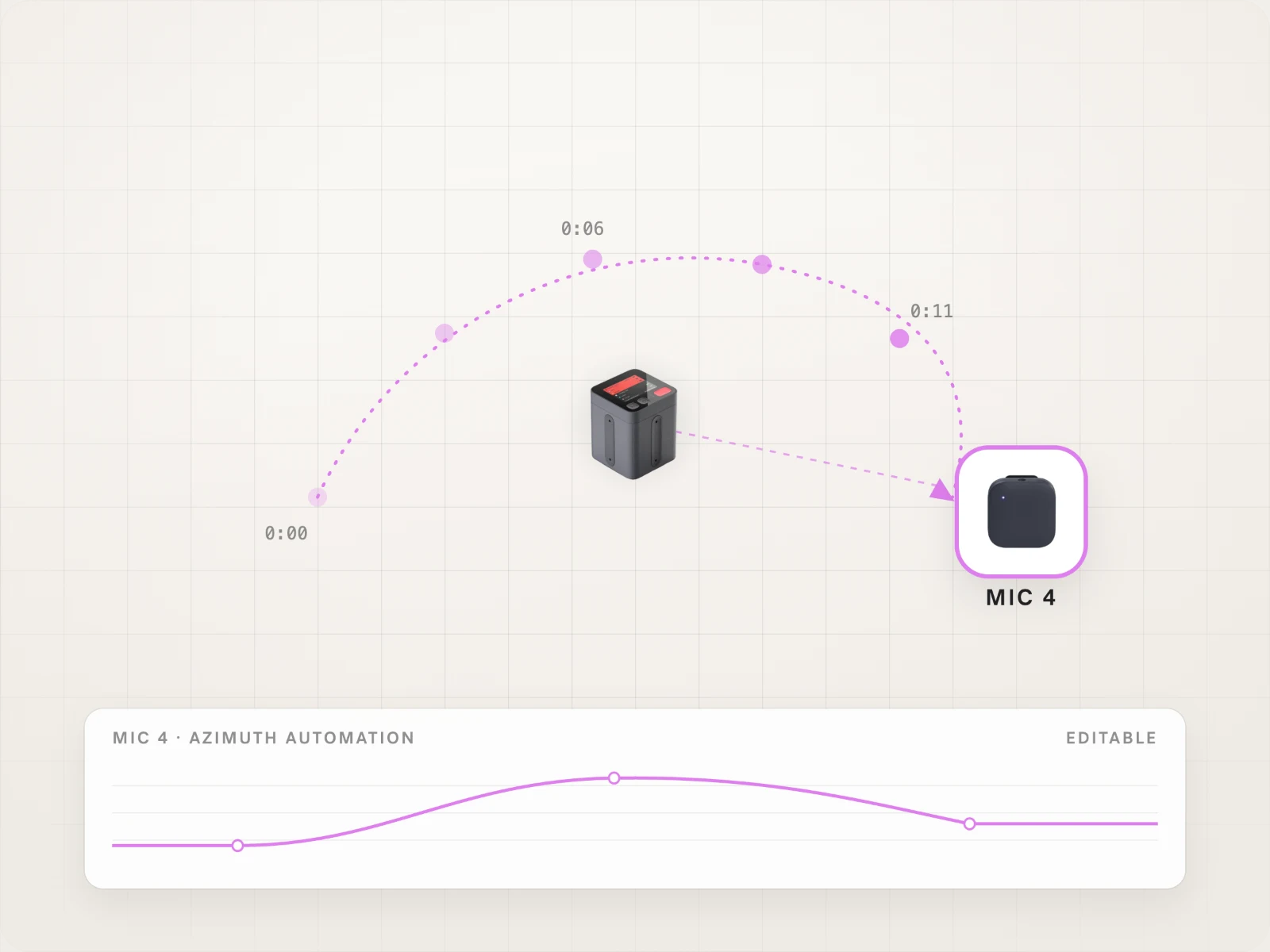
If someone stands up and walks, the movement survives into the mix as automation you can edit – not as a fixed pan you have to guess at.

Top-down diagram: a Stellar mic's path tracked around the Space Recorder over time, shown below as an editable azimuth automation lane.
WHAT AN OBJECT-BASED RECORDING IS MADE OF
Three layers, all of them yours to mix
Four voices as discrete
audio objects

Each Stellar mic becomes its own object with position metadata attached – pan it, ride it, or move it in your session without touching the others.

Top-down diagram: four Stellar mics placed around the Space Recorder, each tagged as a separate audio object with azimuth and distance.
The room as a first-order ambisonic bed

The 8-mic array captures the space itself. Keep it for a sense of place, or pull it down when the dialogue has to sit dry.

Top-down diagram: the Space Recorder's 8-mic array capturing the room as a first-order ambisonic bed, with front–back and left–right axes.
Positions tracked while you record

If someone stands up and walks, the movement survives into the mix as automation you can edit – not as a fixed pan you have to guess at.

Top-down diagram: a Stellar mic's path tracked around the Space Recorder over time, shown below as an editable azimuth automation lane.
Top-down diagram: four Stellar mics placed around the Space Recorder, each tagged as a separate audio object with azimuth and distance.Top-down diagram: the Space Recorder's 8-mic array capturing the room as a first-order ambisonic bed, with front–back and left–right axes.Top-down diagram: a Stellar mic's path tracked around the Space Recorder over time, shown below as an editable azimuth automation lane.
DELIVERABLES

Export what the platform actually asks for

All five come out of the same session. No re-record, no separate spatial pass.

FORMAT
DELIVERS TO

ADM BWF

Dolby Atmos mastering and delivery

EBU ADM

Broadcast and interchange workflows

Eclipsa Audio (coming soon)

YouTube and immersive streaming

ASAF (coming soon)

Apple Spatial Audio Format

Binaural Stems

Headphone listening and editing
‹Swipe to see more›

Frequently asked questions

What does an object-based recording from Nomono contain?

Each Stellar mic is recorded as its own track with position metadata, so every voice arrives as an audio object you can place and move in the mix. At the same time, the Space Recorder's 8-mic array captures the room as a first-order ambisonic bed. New to the format? Read our guide to object-based audio.

Can I open the ADM file in the Dolby Atmos Renderer?

Yes. The ADM BWF export is made for import into the Dolby Atmos Renderer. Each voice's position travels inside the file's metadata, so the renderer reads what was recorded.

Which DAWs does it work with?

The exports are standard files, so there's no plugin to install. They work in DaVinci Resolve, Nuendo, Pro Tools, Logic Pro, Studio One and others.

Can I use my own ambisonic mic and wireless lavs?

Yes. Upload an A-format recording from a supported first-order array as the room bed, and add close-mic tracks from any brand of wireless lav. Sync them with timecode, or record everything to the same recorder. B-format support is coming soon. Not sure about your array? Get in touch above and our audio team will check it.

What happens if someone moves during the take?

Positions are tracked while you record, so the movement reaches your session as automation you can edit, not a fixed pan you have to guess at.

Which Studio Cloud plan includes spatial export?

Spatial export is part of Studio Cloud Premium, and 12 months of Premium are included with the Sound Capsule. Exports use your monthly AI enhancement minutes, and exporting the same recording again with the same preset doesn't use extra minutes. See plans and pricing.

Want to learn more?

Book a demo with our Lead Audio Engineer Ruben. He will walk you through the details and share samples you can use to test in your DAW.

* Export ADM files ready for import into the Dolby Atmos Renderer.

** Our product generates Audio Definition Model (ADM) files that adhere to the Immersive Audio Model and Formats (IAMF) specification, making them ready for Eclipsa Audio workflows.

Shipping and currency

Enjoy free express shipping to the listed locations within 2–5 business days.

Austria flagAustria
Belgium flagBelgium
Bulgaria flagBulgaria
Croatia flagCroatia
Cyprus flagCyprus
Czechia flagCzech Republic
Denmark flagDenmark
Estonia flagEstonia
Finland flagFinland
France flagFrance
Germany flagGermany
Greece flagGreece
Hungary flagHungary
Ireland flagIreland
Italy flagItaly
Latvia flagLatvia
Lithuania flagLithuania
Luxembourg flagLuxembourg
Malta flagMalta
Netherlands flagNetherlands
Norway flagNorway
Poland flagPoland
Portugal flagPortugal
Romania flagRomania
Slovakia flagSlovakia
Slovenia flagSlovenia
Spain flagSpain
Sweden flagSweden
United Kingdom flagUnited Kingdom
United States flagUnited States

Ask about your array

Tell us which array you use and our audio team will confirm it works before you buy.