Company update
October 21, 2026



Every great recording happens somewhere. A café, a stage, a living room, a busy conference floor. Until now, editing tools have treated that "somewhere" as noise: something to clean up or strip out.
Starting today, Nomono Studio Cloud treats the room as part of your mix. With ambience control, you set exactly how much of it your listeners hear.
Every Sound Capsule has a Space Recorder: a dedicated 8-capsule ambisonic microphone that captures the room while each speaker's Nomono microphone captures their voice. Now, when you open a Sound Capsule recording in the episode editor tool (or multitrack viewer) in Nomono Studio Cloud, that room sound appears as its own track, right next to your speakers.

Turn it up to put listeners in the room with you. Turn it down for a close, studio-style sound. Or find your own balance somewhere in between.
Other tools try to pull background sound out of your voice track with AI. The result is an estimate of what the room sounded like. The Sound Capsule records the room directly, so you get the real thing to work with. No other podcast system records the room as its own track.
Fully enhanced audio can sound like a vocal booth, even when the picture shows a café or a stage. Viewers notice the mismatch. With the ambience track, you can match what your audience hears to what they see.
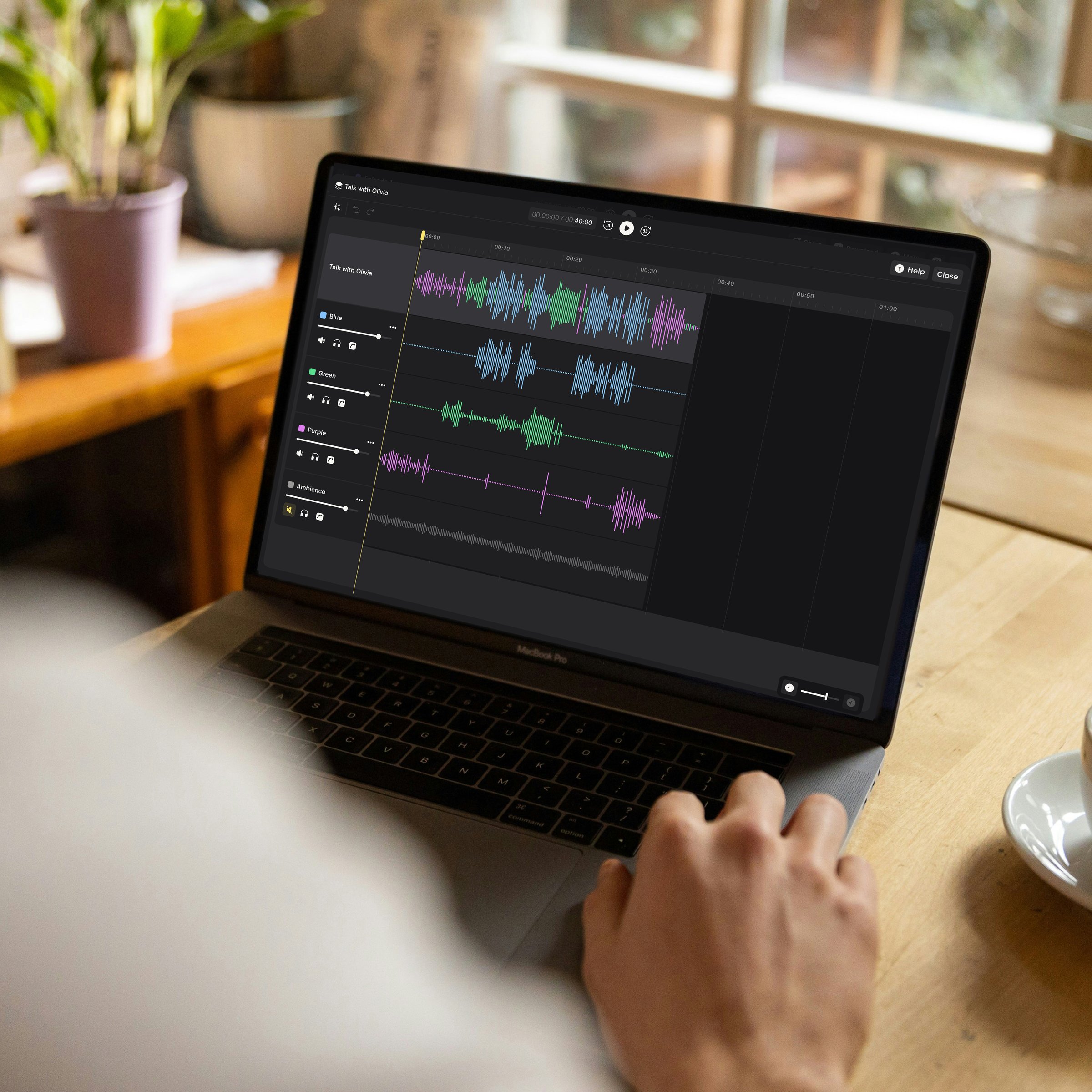
The ambience track is available for Sound Capsule recordings uploaded on or after 1 August 2026.
Ambience control builds on per-track editing, which we launched on 17 September. For every recording, you can:
Tracks stay locked together, so you can't cut, trim, or move a single track on its own. That's by design: the Space Recorder also picks up your speakers' voices, so keeping everything aligned keeps your recording in sync and protects its quality.
Ambience control is available now on all Nomono Studio plans, including the Free plan. No audio engineer required.
Enjoy free express shipping to the listed locations within 2–5 business days.
 Austria
 Belgium
 Bulgaria
 Croatia
 Cyprus
 Czech Republic
.svg) Denmark
Denmark Estonia
 Finland
 France
 Germany
 Greece
 Hungary
 Ireland
 Italy
Italy Latvia
 Lithuania
 Luxembourg
 Malta
Malta Netherlands
 Norway
 Poland
 Portugal
 Romania
 Slovakia
 Slovenia
 Spain
Spain Sweden
 United Kingdom
 United States