Podcasting guides
October 20, 2026



For clean lavalier audio, clip the mic to the center of the chest, roughly 6 to 8 inches below the chin, shifted slightly toward the side the guest turns to when talking. Keep the mic clear of moving fabric, jewelry and lanyards, secure any cable so tugs never reach the mic, and use the same placement on every guest so the tracks match.
The default spot is the sternum, roughly a hand span below the chin. There the mic is close enough to keep the room down and far enough from the mouth to avoid breath and plosive pops. On a button-up shirt, around the second or third button is a good landmark. On a jacket or blazer, the lapel edge at the same height gives a firmer mounting surface than a soft T-shirt.
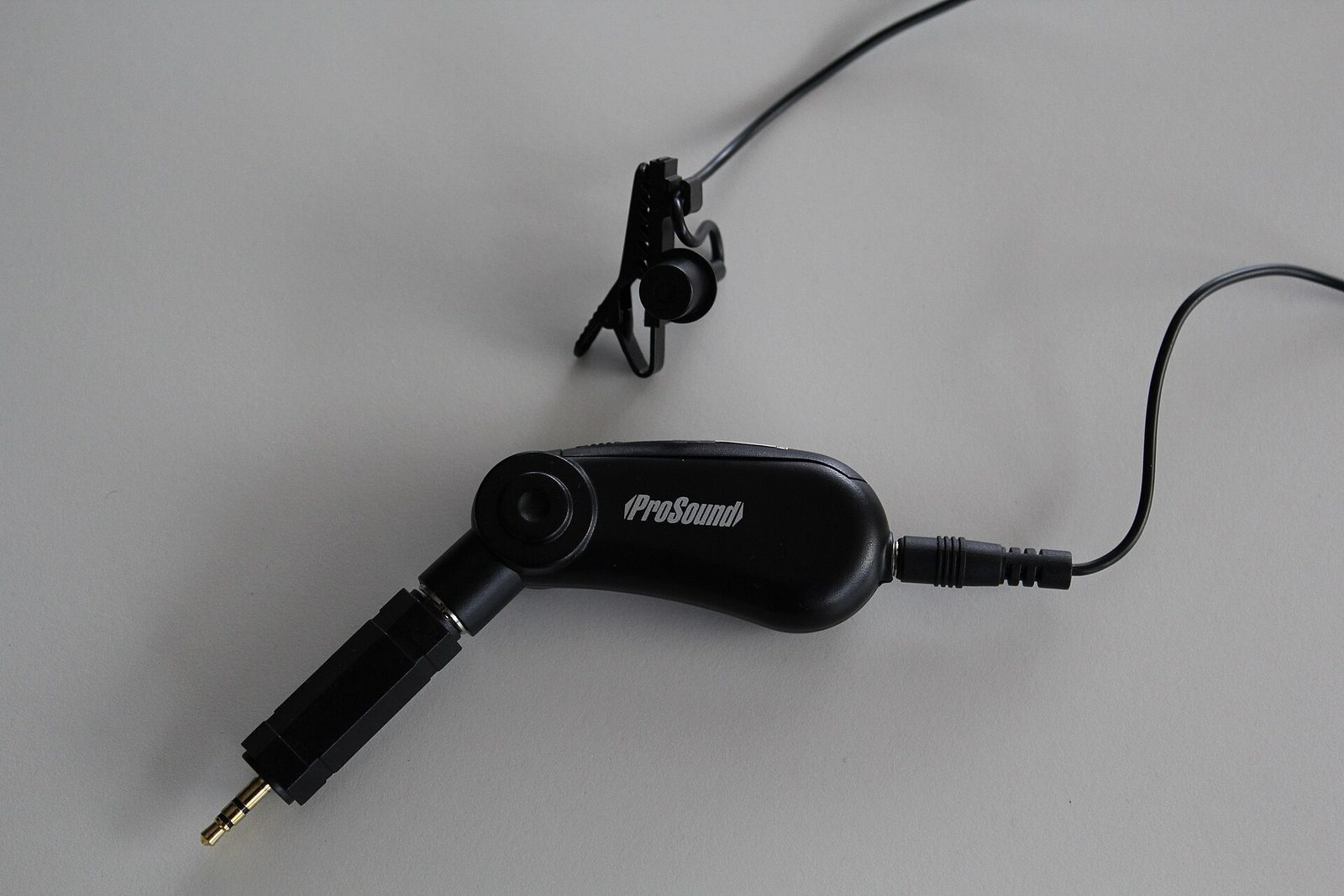
Slightly off-center beats dead center for anyone who talks with their head moving. Watch your guest during the small talk and note which way they turn. A host looking at a co-host on their left should wear the mic a little left of center, so turning toward that person brings the mouth closer to the mic. Big level swings within a single answer usually trace back to a centered mic on a guest who never faces forward.
Distance from the mouth controls the sound more than any other placement choice. The farther the mic, the less detail and the more room you hear.
| Position | Distance | Sound | Use it when |
|---|---|---|---|
| Collar or tie knot | Very close | Warm, but prone to breath and pops | Quiet sit-down, guest barely moves |
| Sternum | About 6 to 8 in | Balanced, clear, little room | Default for interviews and podcasts |
| Jacket lapel | Similar to sternum | Clear, very stable mounting | Structured clothing or stage |
| Low chest or belt | 12 in or more | Thin, distant, roomy | Avoid if you can |
| Hidden under a shirt | Sternum height | Duller top end, rustle risk | On camera, mic must be invisible |

Run the same sequence on every guest so your tracks behave the same way.
Show where the mic goes and hand them the clip rather than reaching into their clothing. Most guests appreciate it, and it is faster.
Sternum level, roughly 6 to 8 inches below the chin, before you think about anything else.
Move the mic a little toward the side the guest naturally turns to while talking.
Aim the mic opening up toward the chin. A mic pointing at the floor loses some of the consonant detail that keeps speech clear on phone speakers and earbuds.
Check that no collar, scarf, necklace or lanyard can swing into the mic when the guest leans forward.
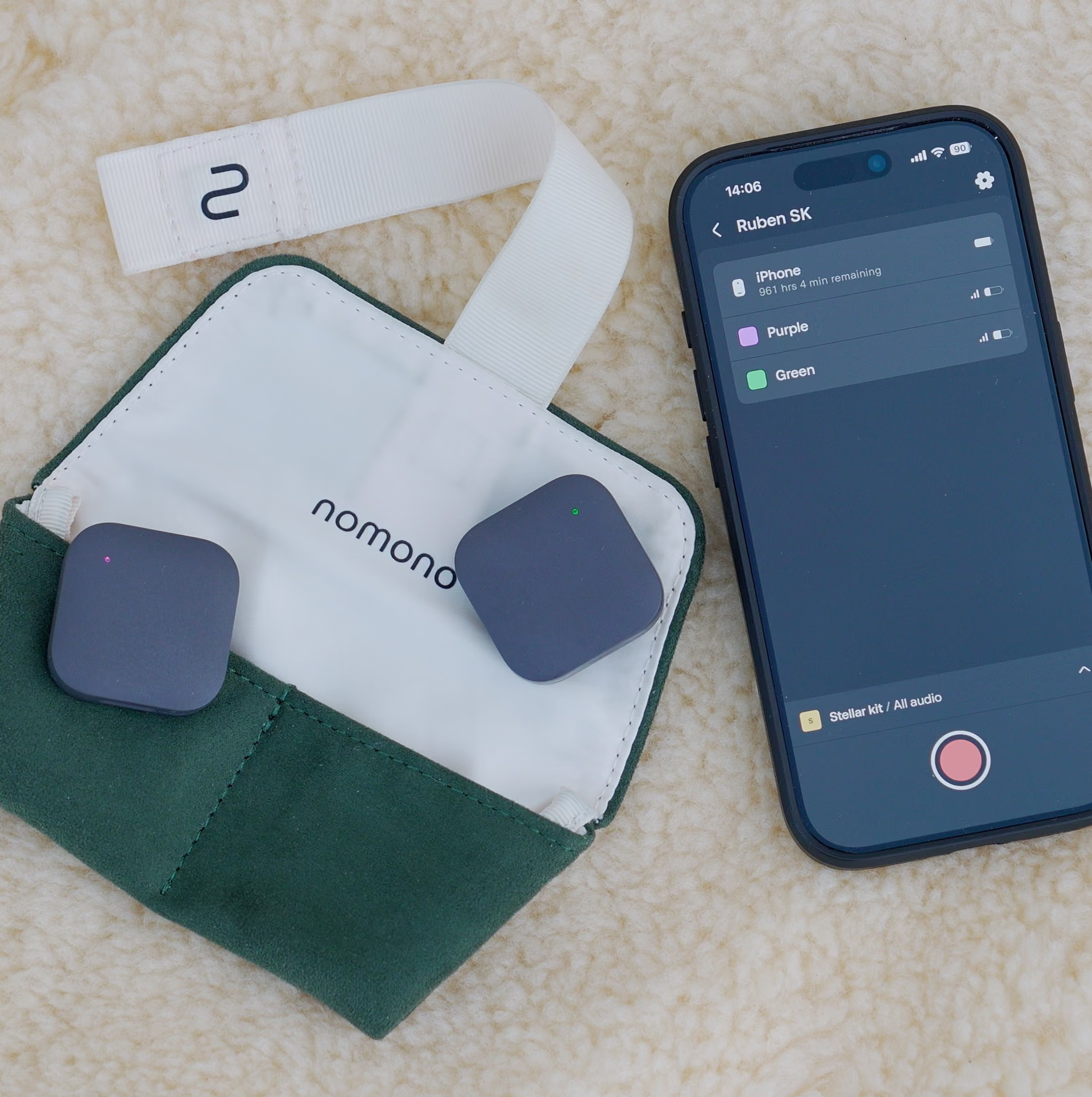
With a wired lav, loop the cable once behind the clip and fix the slack to the clothing, so a pull moves the shirt and not the mic. Compact wireless mics with the mic built in, such as Nomono's Stellar mics, have no cable to dress; mount them with the clip or magnet on a stable layer.
Record the guest talking and moving the way they will during the session, then listen on headphones. This step catches the necklace, the stiff jacket and the guest who taps the table while the fix still costs nothing.
Fabric moving across the mic produces noise in the same frequency range as speech consonants, which is why removing it afterward tends to dull the voice. Synthetic shells, silky fabrics, stiff new denim and heavy zippers cause the most trouble. Soft cotton and wool usually behave.
Outdoors, wind adds a separate problem; see how to record clean audio outdoors. After the session, AI audio enhancement in Studio Cloud handles noise removal and audio enhancement, but it works far better on a track that was clean to start with.
Four open mics in one room create bleed, and placement is your first defense. Every mic hears every guest, so the goal is to make each wearer much louder on their own mic than anyone else. Seat guests as far apart as the table allows and match the placement height across all four people. Consistent placement keeps bleed consistent, which makes gating and level matching predictable.
Hard surfaces make bleed worse. A glass or bare wooden table reflects voices back up into the mics, adding a hollow sound to every track; a cloth over it helps. Soft furnishings, curtains or coats on a rack take energy out of reflections from bare walls.

The Nomono Sound Capsule records each of its four wireless Stellar mics to its own voice track at 16-bit/48 kHz, with auto-levelling on every mic. Consistent placement matters even more with auto-levelling, because the system works with whatever reaches the mic: a guest wearing it at belt height simply gets brought up, room and all. For one-to-one interviews, the two-mic Stellar Kit follows the same placement rules with less bleed to manage. Our guides to panel recording without crosstalk and recording a 4-person podcast cover seating in more detail.
Mic on the wrong side is the most common, and it stays hidden until the edit. A guest at the end of a table turns inward for the whole conversation while the mic sits on the outer side of their chest, so every answer arrives quieter and roomier. No processing fully restores that.
Two more are worth naming. A mic pointing at the floor loses clarity. And a guest reading notes in their lap tucks their chin and speaks over the top of a correctly placed mic. Fix that by raising the notes, not by moving the mic.
Filming as well changes nothing about placement, but it adds a sync step. Audio/Video Sync is free on every Studio Cloud plan; the walkthrough is in how to sync Nomono audio with your camera. Broader technique is in our podcast recording guide.
32-bit float recording is the main dividing line between wireless kits. It gives you a safety net when levels jump, while Nomono uses auto-levelling on every mic instead. Prices below are from our fact sheet, checked September 2026.
| Kit | Price | 32-bit float | Notes |
|---|---|---|---|
| Nomono Stellar Kit | $348 | No | 2 mics, 15 h battery, first year of Studio Cloud Professional included |
| Nomono Sound Capsule | $1,188 | No | 4 mics + Space Recorder, first year of Studio Cloud Premium included |
| RØDE Wireless GO (Gen 3) | $199 list, $169.99 street | Yes | 2 transmitters, no timecode |
| RØDE Wireless PRO | $299 list, $260 street | Yes | Timecode, GainAssist |
| DJI Mic 3 (replaces Mic 2) | $329 list with case, $259 at B&H | Yes | Timecode |
The 32-bit float kits are the stronger choice for unpredictable one-off recordings. The Nomono kits suit teams that want separate tracks, auto-levelling and a cloud workflow in one system. Hardware works without a subscription. Full plan details are on the Studio Cloud pricing page.
Matched mics for every guest
The Sound Capsule gives four guests their own wireless mic, each recorded to a separate track with auto-levelling.
On the chest at sternum height, roughly 6 to 8 inches below the chin, pointing up toward the mouth and slightly toward the side the speaker turns to. On a jacket, use the lapel edge at the same height. Keep the mic clear of any fabric that moves on its own.
The side the speaker turns toward most. A guest who looks to their right at the host all session should wear the mic on their right side. Head turns then bring the mouth toward the mic, which evens out level swings mid-answer.
Mount it on a layer that moves with the body, secure any cable with a small loop below the clip, and keep the mic on top of folds. Remove scarves, lanyards and long necklaces. Stiff and synthetic fabrics cause the most trouble.
Up, toward the chin. A mic pointing down loses some consonant detail, which is the part of speech that keeps it clear on small speakers. Check the angle after the guest has attached the mic.
Yes, but expect a duller sound and more rustle risk. Keep the mic at sternum height, fix it to skin or a firm inner layer, and use a mount designed for hidden placement. On-camera work can justify it; audio-only recording rarely does.
About 6 to 8 inches works for most speech. Much closer invites pops and breath noise, and farther away picks up more room and sounds thin. A 30-second test recording tells you whether a guest needs the near or far end of that range.
The Sound Capsule records four wireless Stellar mics into one Space Recorder, each on its own track. Two-transmitter kits such as RØDE Wireless GO (Gen 3) cover two speakers per kit. For more than four speakers, plan for a second system or a wired multitrack setup.
They work well for podcasts recorded away from a desk: on-location interviews, panels and anything where guests move. A fixed studio desk with boom-mounted mics can give a fuller, more controlled sound. Choose clip-on mics when mobility, setup speed and guest count matter most. The Sound Capsule, for example, is ready to record in under 10 seconds.
Written by Ruben Åeng, Lead Audio Engineer at Nomono
Audio engineer and Product Manager for spatial audio products at Nomono, with 15 years of experience in film and television sound. Before joining in 2021 he worked as a production sound mixer, dialogue editor and sound designer, with credits including the Oscar-nominated short “Night Ride”.
Enjoy free express shipping to the listed locations within 2–5 business days.
 Austria
 Belgium
 Bulgaria
 Croatia
 Cyprus
 Czech Republic
.svg) Denmark
Denmark Estonia
 Finland
 France
 Germany
 Greece
 Hungary
 Ireland
 Italy
Italy Latvia
 Lithuania
 Luxembourg
 Malta
Malta Netherlands
 Norway
 Poland
 Portugal
 Romania
 Slovakia
 Slovenia
 Spain
Spain Sweden
 United Kingdom
 United States