Podcasting guides
October 20, 2026



Recording a podcast professionally means capturing speech that is clear, balanced, and consistent wherever the conversation happens. Three things decide the result: microphone placement, the recording environment, and level control at the source. Portable systems such as the Nomono Sound Capsule now deliver studio-grade capture in offices, events, and outdoor locations without a treated room.
A professional podcast recording meets four tests: every voice is intelligible, volume levels are balanced between speakers, background noise never distracts from the conversation, and the audio moves into editing and publishing without technical breakdowns. Listeners hold podcasts to a broadcast standard. 51.1% of podcast listeners expect audio quality similar to professional radio broadcasts such as the BBC or NPR (The Podcast Host, 2025), and poor sound is a documented reason people abandon episodes.
Three layers produce that standard. Capture means clean audio at the source, with the right microphone close to each speaker. Control means stable levels and minimal noise while the conversation runs. Continuity means a workflow that carries files from record to publish, with backups, so nothing is lost between the interview and the episode. Weakness in any one layer shows up in the finished audio, and the first layer is the hardest to fix after the fact. A guide to what makes recordings sound great covers the capture layer in more depth.
Podcast recording happens in one of three environments: a studio, a remote session across the internet, or on location. Format should drive the choice. A narrative show with a fixed host team suits a studio, a guest-driven interview show usually needs remote capability, and event or documentary formats need mobile gear.
Studio recording gives you controlled acoustics, stable microphone placement, and predictable sound quality, which is why long-running shows with consistent hosts default to it. The trade-offs are real: guests must travel to you, the setup tends to grow equipment-heavy, and the show becomes tied to one room. Studios reward formats where the same people record in the same place on a schedule, such as narrative series and co-hosted commentary shows.
Remote recording removes geography from guest booking, which makes it the default for interview shows with guests across regions. The strongest remote practice is local capture: each participant records on a dedicated microphone on their own device rather than relying on the internet call audio, because connections compress and drop while local files stay clean. The variables to manage are internet stability, uneven guest microphone quality, and unpredictable guest rooms, so send setup instructions and test levels before every session.
On-location recording captures conversations in authentic environments: trade show floors, workshops, city streets, a guest's own workplace. Real-world context adds texture that a studio cannot, and mobile capture opens formats such as event coverage, branded storytelling, and documentary series. The considerations are ambient noise, microphone handling during movement, and battery and storage reliability. Purpose-built portable systems answer all three, and the practices in recording a podcast outside the studio apply to any kit.
| Recording environment | Best for | Main advantage | Main risk to manage |
|---|---|---|---|
| Studio | Fixed hosts, narrative shows | Controlled acoustics and predictable quality | Guests must travel; limited mobility |
| Remote | Guest interviews across regions | Geographic freedom and scalable booking | Internet instability and uneven guest audio |
| On-location | Events, branded and documentary formats | Authentic environments and creative flexibility | Ambient noise, battery, and storage limits |
Professional capture outside a studio follows the same five steps every time: read the environment, control microphone distance, manage levels at the source, protect the files, and set up the recording so editing stays light. The steps below work in a boardroom, a conference hall, or a field.
Every room tells you how it will sound before anyone speaks. Check the surface materials first: glass and concrete reflect sound and create echo, while soft furnishings absorb it. Listen for ambient noise sources such as HVAC systems, traffic, and crowd chatter, and position speakers away from walls and reflective surfaces. Small adjustments do outsized work here. Moving a conversation two meters from a window, or choosing the carpeted corner of a venue over the tiled entrance, improves clarity more than any plugin applied later.
Microphone distance is the single biggest lever on recording quality. Keep each mic close to the speaker's mouth, and move it closer as the space gets louder, because proximity raises the voice relative to the room. Hold that distance steady through the conversation; drifting toward and away from a mic creates level swings that are tedious to repair. Wearable clip-on mics solve this mechanically, since the mic follows the voice when a guest leans back, swivels, or turns to address someone else.
Clipping cannot be repaired cleanly, and audio recorded too quietly picks up noise when boosted, so gain has to be right during the session. Set conservative levels, leave headroom for laughter and raised voices, and balance speakers against each other before you press record. Automatic leveling, where the hardware stabilizes gain across multiple speakers in real time, removes the riskiest manual task from live sessions and is worth prioritizing in any multi-speaker kit.
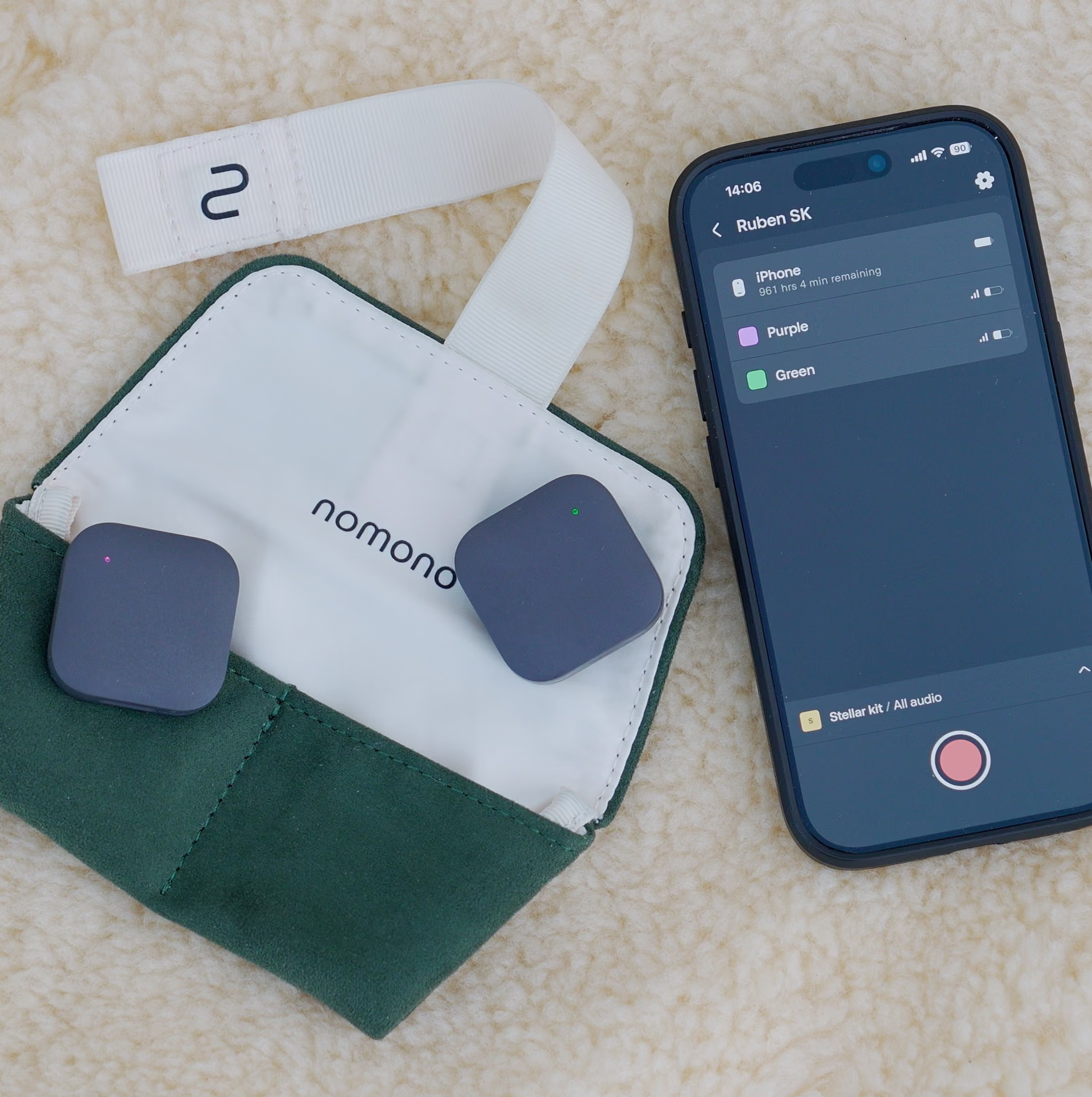
A dead battery or a full memory card ends a session as decisively as any technical fault, and mobile recording multiplies both risks. Confirm battery levels and storage capacity before every session, carry a charging option, and prefer systems that record locally and then upload automatically, so a copy of the session exists in the cloud minutes after capture. Automatic syncing turns file management from a failure point into a background process.
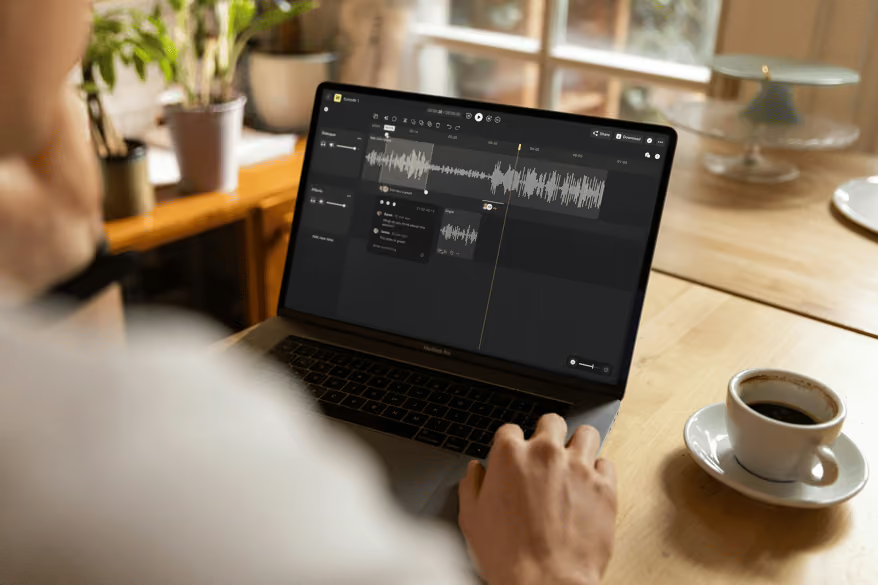
Editing time is where recording discipline pays off. A typical podcast episode takes 4 to 5 times the length of the recorded audio to edit (Rachel Corbett, 2025), and most of that time goes to corrective work: noise cleanup, EQ repair, and level fixing. Clean capture removes the bulk of those fixes. Pair it with clear file organization, one track per speaker, and enhancement tools that clean speech automatically, and a 30-minute interview stops demanding a 3-hour edit. Practical technique for the remaining work lives in this guide to podcast editing for audio quality.
A field kit that fits in a backpack covers almost every on-location scenario. Six components matter, and none of them is a mixing desk.
Guests notice the difference too. A kit that clips on in seconds keeps interviewees relaxed, while a setup resembling a broadcast truck makes them stiff before the first question. Speed of setup is an audio quality feature, because comfortable guests speak naturally.
Equipment choice comes down to how many people you record and where. The table below compares the widely used options across price, speaker count, and workflow, at August 2026 US pricing.
| System | Price (USD) | Speakers | Portability and power | Cloud workflow included |
|---|---|---|---|---|
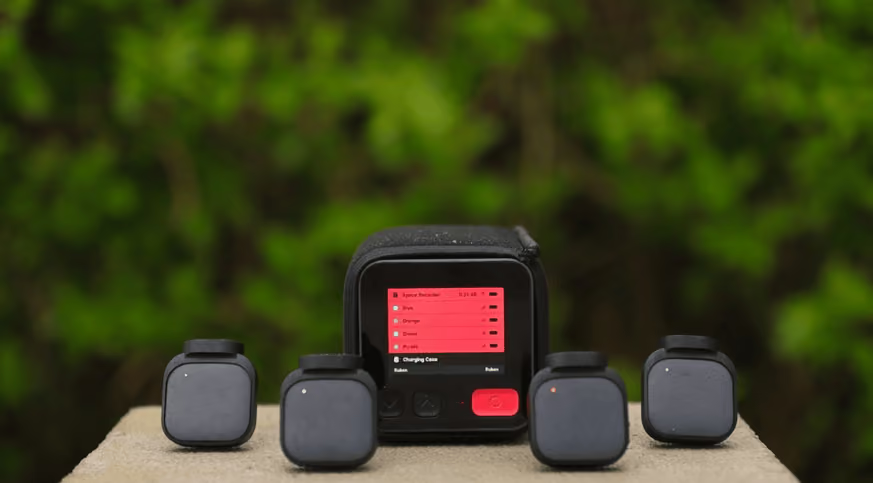
| Nomono Sound Capsule | $99/mo (Premium, with Studio Cloud), $1,188 first year | 4, wireless lav mics | 2.9 lb kit with charging case, battery powered | Yes, plus ambisonic spatial capture |
| RODECaster Pro II | $595 | 4, wired XLR | Desktop console, mains powered | No |
| Rode Wireless Pro | $399 | 2, wireless lav kit | Pocketable, 32-bit float | No |
| DJI Mic 2 | $349 | 2, wireless kit for camera or phone | Pocketable, 32-bit float | No |
| Shure MV7+ | $299 | 1, USB/XLR dynamic mic | Desk mounted | No |
| Zoom PodTrak P4 | $149.99 | 4, wired XLR | Handheld recorder, battery powered | No |
Two patterns stand out. Wired four-person consoles such as the RODECaster Pro II and the PodTrak P4 assume speakers seated around a table, which rules out event and walking formats. Wireless kits such as the Rode Wireless Pro and DJI Mic 2 move freely but stop at two speakers. The Sound Capsule is currently the only system in this set combining four wireless speakers, spatial ambisonic capture, and an included cloud editing workflow; pricing sits at $348 for the first year of the two-person Stellar Kit tier and $1,188 for the first year of the full Capsule on the Studio Cloud pricing page. A fuller breakdown of mics, recorders, and accessories is in the podcast equipment buyer's guide.
Working shows prove the mobile approach across formats. Identified with Nabil Ayers records remote interviews on identity, race, culture, and family with guests in different cities. TimeTable London records on location in a different London pub each episode, keeping the room tone as part of the show's character. How To Cut It runs pop-up episodes from hairdressing events and salons, and Hold The Gate records its tattoo conversations in creative spaces rather than a booth. The We Are Makers team took the same approach global, and the We Are Makers field recording story shows what a two-person crew can capture with a backpack kit. More producer accounts are collected on the Nomono reviews page.
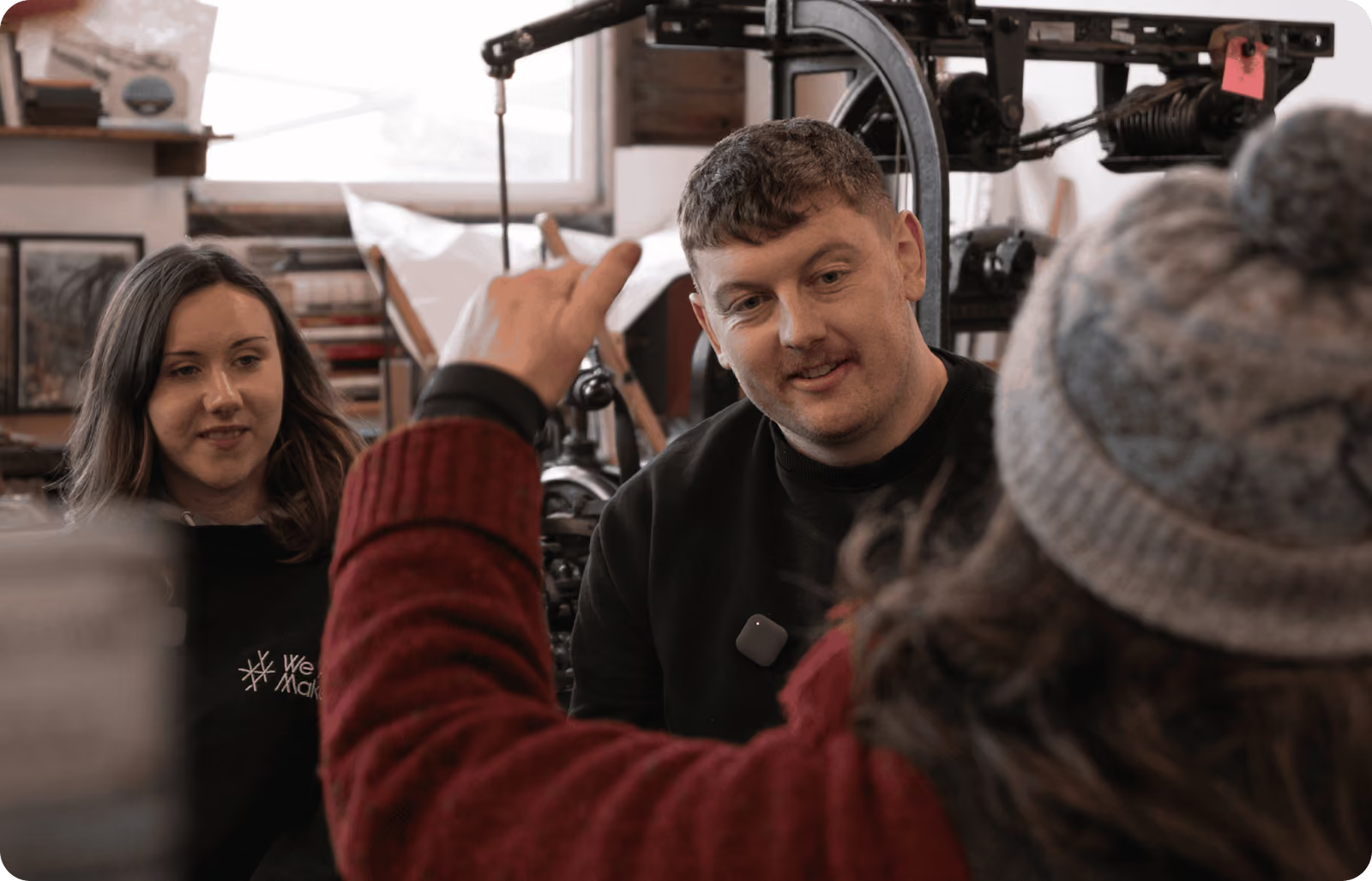
We Are Makers recorded 32 podcast episodes in 35 days on a single US tour, every one of them inside a working workshop (Nomono, 2023). Kate and Jack Lennie, who publish the Scotland-based maker magazine and podcast, had previously hauled a rig that needed up to 100 meters of cabling and reliable mains power at every stop, which ruled out most of the spaces their guests actually work in. Switching to the Nomono Sound Capsule, a hand-luggage-sized kit that charges its four wireless mics in the case, removed the setup problem entirely. "You hit the red button and the conversation starts," as Kate Lennie puts it. The pace mattered for more than logistics. Guests could keep working while they talked, so a saddle maker was recorded mid-craft with the workshop sound intact, and the show could publish consistently enough to grow its audience between issues.
Most bad recordings trace back to a handful of preventable errors. Six come up constantly.
Distance is the most common and most damaging error. Every inch between mouth and mic raises the room relative to the voice, reducing clarity and adding echo. Keep mics close, remind guests to hold position, and monitor on headphones so drift is caught live rather than discovered in the edit.
Hard surfaces reflect sound, large spaces create echo, and HVAC or background chatter adds a noise floor that sits under every word. Choose spaces with soft furnishings, avoid glass-heavy rooms, and at events, position speakers away from the PA and the crowd rather than in the middle of them.
Clipped audio is permanently damaged, and quiet audio boosted in post drags noise up with it. Set conservative gain, leave headroom, and use hardware that stabilizes levels across speakers so one loud laugh does not ruin a take.
PA feeds are mixed for the room, not for a recording, and they carry crowd noise and uneven balances. Record your own clean source with your own microphones whenever possible, and treat any house feed as a backup at best.
Mobile sessions fail on logistics as often as on technique. Check battery levels and storage before every session, and prefer systems that store locally and upload automatically so no single failure loses the recording.
Post-production refines; only capture creates. Enhancement tools now remove noise and smooth levels impressively, but a voice recorded off-mic in a reflective room stays compromised. Prioritize clean capture and let editing polish rather than rescue.
Business podcasts raise the stakes on consistency. A branded show records with changing guests, changing rooms, and often changing staff, yet the audience expects every episode to sound the same. Standardizing on one recording system, rather than improvising per episode, is what keeps quality flat across the series.
Mobility also changes what a brand can make. Recording in context, on the factory floor, at the customer's site, at the industry event, produces stories a meeting-room interview cannot, and audio quality directly affects how those stories perform; the evidence is summarized in why audio quality impacts podcast growth and monetization. Workflow decides whether the show survives its first quarter: complex audio chains and manual cleanup quietly kill internal productions, so favor capture-to-publish systems with the fewest manual steps. Recording quality serves the strategy, and the planning questions come first, as laid out in the guide to starting a business podcast.
Recording a professional podcast means capturing speech that is clear, balanced, and consistent wherever the conversation takes place. Get each microphone close to its speaker, choose or adjust the environment to cut reflections and noise, set conservative levels with headroom, and record locally with a backup. Clean capture at the source matters more than any editing applied afterward.
Recording a podcast at home takes a reliable microphone, headphones, recording software, and a quiet room with minimal echo. Choose a space with soft furnishings, position the microphone 6 to 8 inches from your mouth, and monitor levels to avoid distortion. Record at conservative levels and leave headroom, which keeps the edit short and clean.
Local recording on a dedicated microphone per participant beats relying on internet call audio. Connections vary and compress the signal, while a local file preserves full clarity regardless of what the network does during the call. Send guests setup instructions in advance, ask them to wear headphones to prevent bleed, and allow time to test levels before recording.
Yes, a phone works for solo content and field interviews, though quality depends on the microphone and the environment. Built-in mics capture usable audio in quiet spaces, and an external microphone improves clarity significantly in louder or mobile settings. Business and branded shows generally need a dedicated recording system for the level control and consistency a phone cannot provide.
At minimum, a podcast needs a microphone, a recording device or software, and headphones for monitoring. Multi-speaker and mobile setups add individual microphones per speaker, a central recorder, stable level control, and reliable storage. Match the kit to where you record: a $299 desk mic suits a solo home show, while a four-person event format needs a wireless portable system.
Give each guest a dedicated microphone and have everyone record locally, which keeps every track clean regardless of connection quality. Send clear instructions on mic placement and room choice before the session, and ask guests to wear headphones so tracks stay free of bleed. Combine and balance the individual tracks in the edit for a consistent final mix.
Isolation at the source beats any noise removal applied later. Fit each speaker with a close wireless lav mic so the voice dominates the crowd, position the conversation away from the PA, and record your own feed rather than trusting house audio. A little intentional ambience kept under the dialogue adds atmosphere without hurting intelligibility.
Editing typically takes 4 to 5 times the length of the recorded audio, so a 30-minute interview needs 2 to 3 hours of manual work (Rachel Corbett, 2025). Most of that time goes to corrective fixes such as noise cleanup and level repair. Recording cleanly at the source, one track per speaker, removes the bulk of those fixes and cuts the edit dramatically.
Spatial audio captures sound with direction and movement in a space rather than as a flat stereo image, giving listeners an immersive sense of the environment. Documentary storytelling, live events, and experiential branded content benefit most. Capture requires a compatible system, such as the Sound Capsule's ambisonic microphone array, and an export format such as Dolby Atmos, explained further in spatial audio for podcasts.
Yes, broadcast-quality audio outside a studio is achievable with the right field kit. Wireless mics keep voices close and consistent, adaptive recorders manage levels as conditions change, and enhancement tools control reverb and noise without flattening the voice. Listeners judge clarity and warmth, not the recording location, and 51.1% expect quality on par with BBC or NPR broadcasts (The Podcast Host, 2025).
Enjoy free express shipping to the listed locations within 2–5 business days.
 Austria
 Belgium
 Bulgaria
 Croatia
 Cyprus
 Czech Republic
.svg) Denmark
Denmark Estonia
 Finland
 France
 Germany
 Greece
 Hungary
 Ireland
 Italy
Italy Latvia
 Lithuania
 Luxembourg
 Malta
Malta Netherlands
 Norway
 Poland
 Portugal
 Romania
 Slovakia
 Slovenia
 Spain
Spain Sweden
 United Kingdom
 United States