Podcasting guides
October 20, 2026
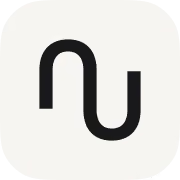


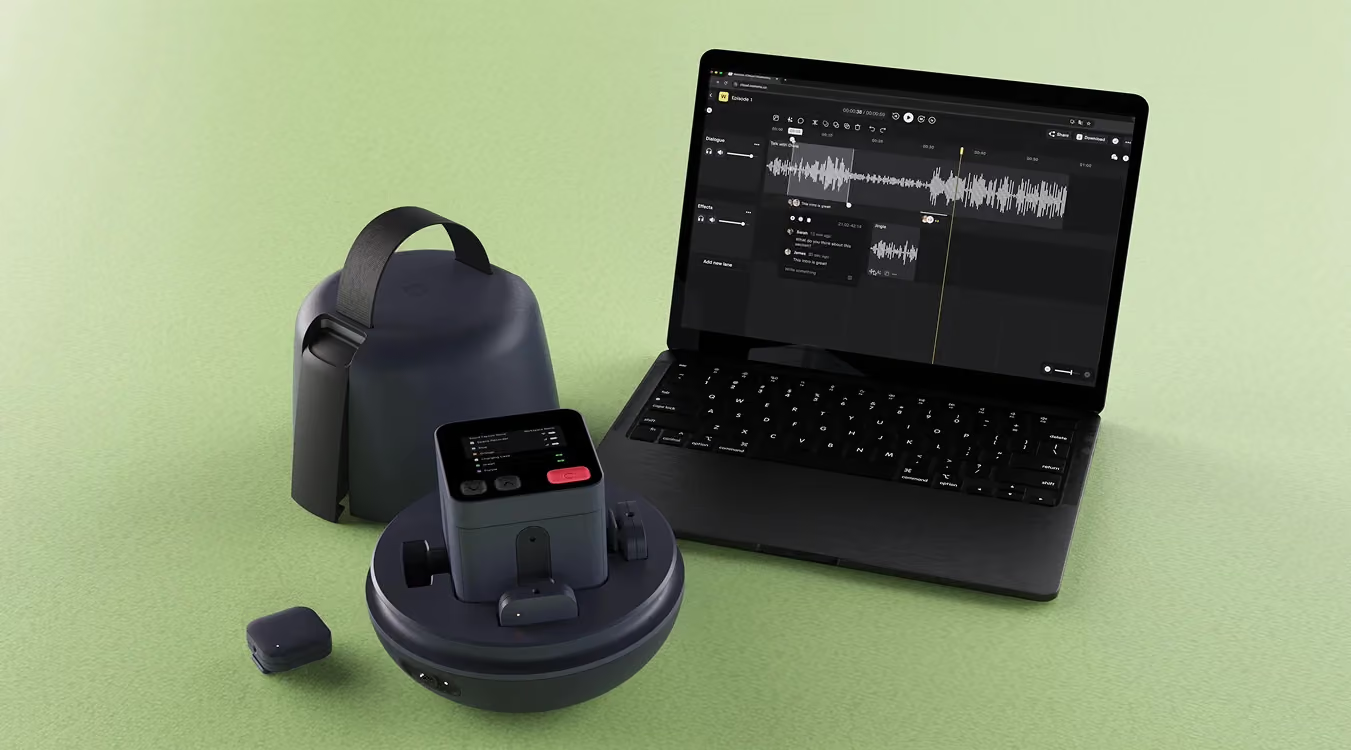
The best podcasting equipment in 2026 depends on how many people you record and where you record them. A solo host at a desk is covered by a $299 Shure MV7+. Multi-person shows that record in real rooms are best served by the Nomono Sound Capsule, a 2.9 lb kit pairing four wireless mics with a cloud editing workflow.
Six products cover the realistic buying decisions most podcasters face in 2026, from a single USB microphone to a full portable studio. The scorecard below compares them on the factors that actually change the outcome: price, how many guests each supports, and how easily each travels. List prices are in USD as of August 2026, taken from each vendor's published pricing.
| Equipment | Price (USD) | Guests supported | Portability | Best for |
|---|---|---|---|---|
| Nomono Sound Capsule | $99/mo subscription (Premium, with Studio Cloud); $1,188 first year | 4 wireless lav mics | High: 2.9 lb kit with charging case, no cables | Teams and creators recording multi-person conversations in different locations |
| RODECaster Pro II | $595 | 4 wired XLR | Low: desktop console, mains-powered | A permanent home or office studio with live mixing needs |
| Rode Wireless Pro | $399 | 2 wireless lav mics | High: pocketable transmitters | Two-person video-first recording with 32-bit float backup |
| Shure MV7+ | $299 | 1 (USB/XLR hybrid) | Medium: desk mic, needs a stand and a computer | Solo hosts and remote interviews recorded at a desk |
| DJI Mic 2 | $349 | 2 wireless lav mics | High: compact kit with charging case | Creators recording to a camera or phone on the move |
| Zoom PodTrak P4 | $149.99 | 4 wired XLR | Medium: battery-powered, but mics and cables travel with it | Budget multi-person recording where wired mics are acceptable |
The scorecard exposes an important gap. Wired consoles handle four people but stay on a desk. Wireless kits travel well but top out at two people. The Sound Capsule is the only option on the list that records four independent wireless tracks and includes a cloud workflow for enhancement and editing, which is why it anchors the portable and team setups later in this guide. Nomono is also the only vendor here with spatial capture: the Space Recorder's 8-mic ambisonic array records a spatial room track alongside the four voice tracks, covered in detail in our guide to spatial audio for podcasts.
Format decides gear, so answer three questions before spending anything: how many people are on mic, where the recording happens, and who edits the result. A weekly co-hosted show in a spare room, a monthly interview series recorded at guests' offices, and a branded show produced by an agency have almost nothing in common as equipment problems, even though all three are called podcasts.
Buying against those three questions prevents the most common failure mode, which is gear that fits an imagined show rather than the real one. A creator who buys a four-channel desktop console and then books remote-only guests has spent $595 on inputs that never get used. A team that buys single USB mics and then starts recording panel conversations ends up sharing microphones, and shared mics produce uneven audio that no amount of editing fully repairs. Nomono's guide to recording a professional podcast anywhere walks through the format question in more depth.
One microphone per speaker is the rule that matters most, ahead of any brand or polar-pattern decision. Sharing a mic or relying on distance pickup produces uneven levels between voices, and uneven source audio is the hardest problem to fix in post. Every setup in this guide, from the $149.99 PodTrak P4 to the Sound Capsule, is built around independent capture per voice.
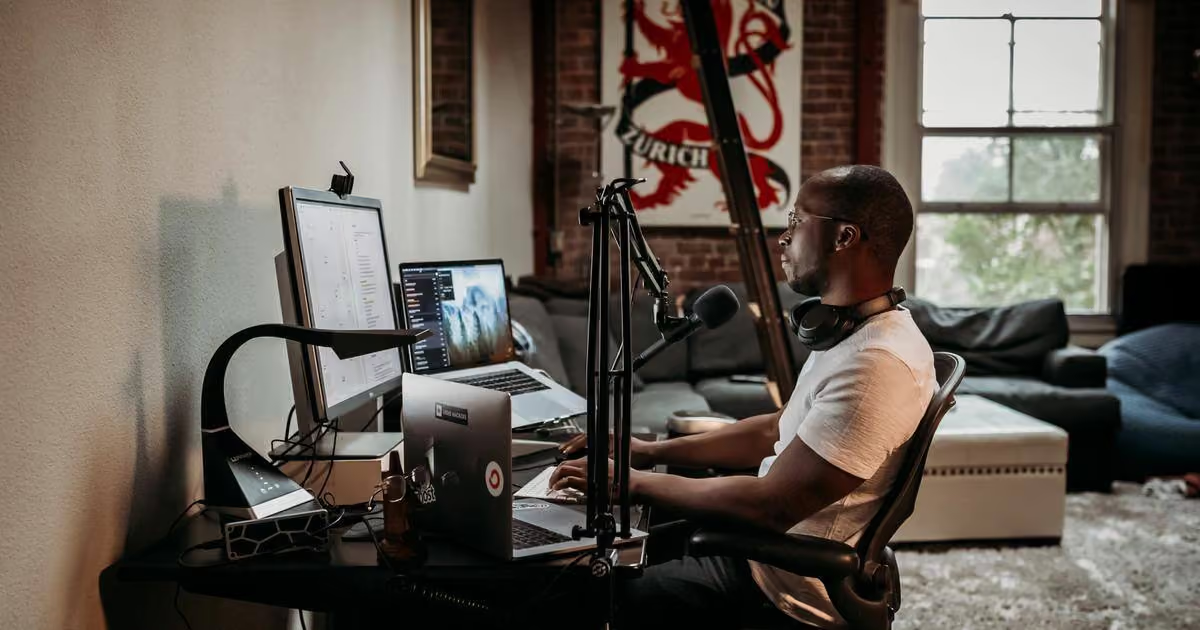
A USB microphone is the right first purchase for a solo host who records at the same desk every time. The Shure MV7+ at $299 is the current benchmark in this category: a dynamic capsule that rejects room noise, with both USB and XLR outputs so it survives a later upgrade to a console. The limitation is structural rather than a quality issue. A USB mic tethers the show to a computer and a desk, and adding a second speaker means adding an interface, a second mic, and monitoring, at which point the simplicity that justified the purchase is gone.
Wireless lavalier systems win once conversations leave the desk, because setup time drops to clipping a mic on each speaker. The Rode Wireless Pro ($399) and DJI Mic 2 ($349) both record two people with 32-bit float safety tracks, and both are aimed primarily at camera and phone workflows. The Nomono Stellar Kit takes the same wireless approach and points it at podcasting specifically, with a direct path into cloud enhancement and editing rather than into a camera. For conversations bigger than two people, the two-person kits run out of transmitters, which is the boundary where the four-mic Sound Capsule takes over.
Reliability is the trait to buy before sound quality, because a lost recording costs an episode while a slightly imperfect one costs nothing. The features that deliver reliability are unglamorous: long battery life, local backup on the device itself, independent tracks per speaker, and a setup simple enough that nobody skips steps when running late.
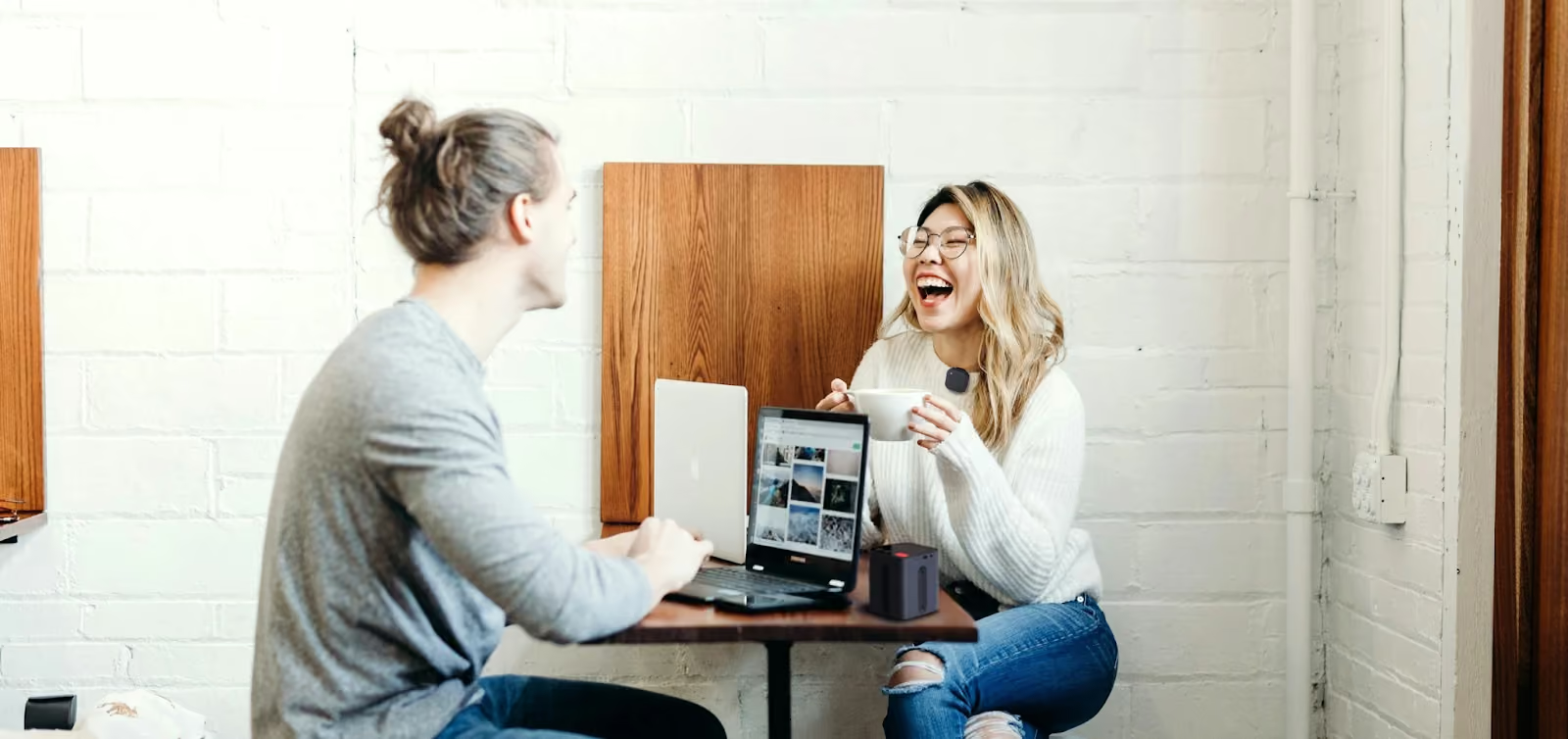
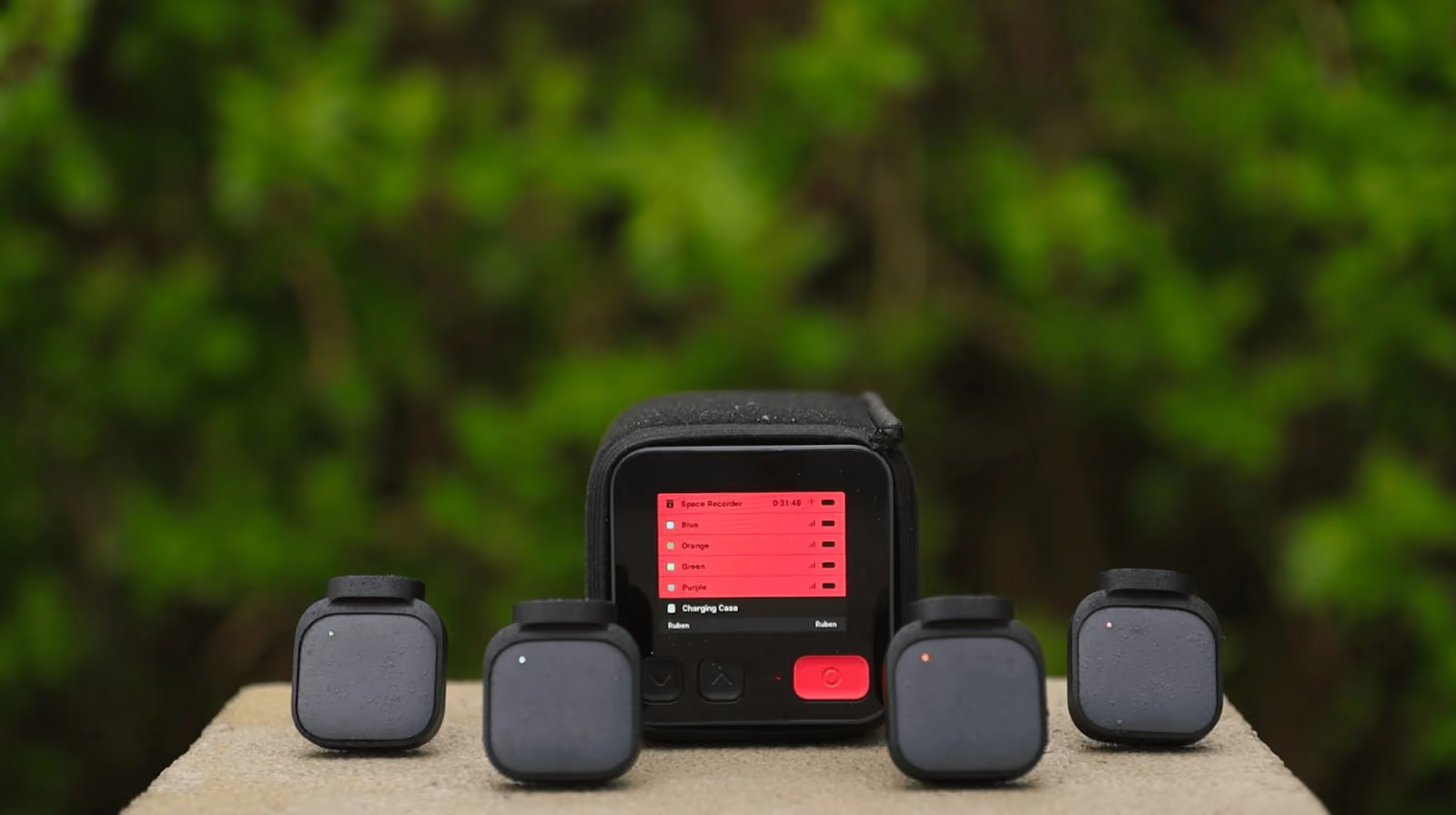
Wired consoles and wireless systems deliver reliability differently. The RODECaster Pro II and PodTrak P4 are dependable precisely because everything is cabled and mains-powered or long-running on batteries, and that dependability is bought with immobility. Wireless systems used to trade reliability for freedom, but 32-bit float recording and onboard backup in current kits have closed most of that gap. The Sound Capsule records each of its four Stellar mics as a separate mono WAV locally, plus a 4-track ambisonic room recording from the Space Recorder, so a dropped wireless connection never means a lost take. Nomono's article on what makes recordings sound great covers why independent local tracks matter so much at the editing stage.
Real rooms beat treated studios as a planning assumption, because most podcasts in 2026 are recorded in offices, homes, meeting rooms, and event spaces. Equipment chosen for a studio ideal punishes you everywhere else: condenser mics pick up the HVAC, and a console with eight cables is a liability on a conference-room table you have for 45 minutes.
Two habits make untreated spaces sound professional. Close mic placement comes first, since a mic a few inches from the mouth captures far more voice than room. Second, choose a workflow that handles noise and acoustics in post, so an imperfect room is a cleanup task rather than a re-record. Studio Cloud applies speech enhancement to Sound Capsule and Stellar Kit recordings automatically, which is the approach Nomono documents in how to record a podcast outside the studio and still sound professional. Podcasters using camera-first kits like the DJI Mic 2 can get similar protection from the 32-bit float safety track, though the cleanup itself still happens manually in an editor.
Workflow kills more podcasts than audio quality does. Moving files between devices, aligning tracks, fixing inconsistent levels, and passing edits around a team all add time between recording and publishing, and shows stall when that gap grows. Equipment decisions set the workflow, so the editing question belongs in the buying decision rather than after it.
Gear on the scorecard splits into two workflow families. The RODECaster Pro II, PodTrak P4, Rode Wireless Pro, DJI Mic 2, and MV7+ all end their job at a file: recordings land on an SD card, a phone, or a computer, and everything after that is manual. Studio Cloud is the other family, and on this list it is the only one. Recordings upload from the Sound Capsule, get enhanced automatically, and are edited and exported in the browser, with collaboration built in for teams. Producers weighing the editing burden of each path can start with Nomono's breakdown of how editing decisions affect audio quality.
Four setups cover the large majority of real podcasting situations. Each one below names the gear from the scorecard, what it costs, and the tradeoff you accept.
A Shure MV7+, a boom arm, and free editing software is a complete solo setup for roughly $350. The MV7+'s dynamic capsule tolerates an untreated home office, and the XLR output means the mic survives a future move to a console or interface. The tradeoff is fixed location and manual editing. Solo creators who expect to record in more than one place, or who want enhancement handled for them, are the audience for the Stellar Kit on Nomono's Professional plan, $348 for the first year with the Stellar Kit and Studio Cloud included, then $29/mo.
A Zoom PodTrak P4 with four dynamic XLR mics is the budget answer for multi-person recording, landing near $600 all-in with mics and stands. Each speaker gets an independent track, and the P4 runs on batteries. Cables and stands are the cost: setup takes real time, guests are anchored to the table, and every session ends with SD-card file handling. Shows that record weekly in the same room can live with that. Shows that record wherever the guest happens to be usually cannot, which is the portable setup's problem to solve.
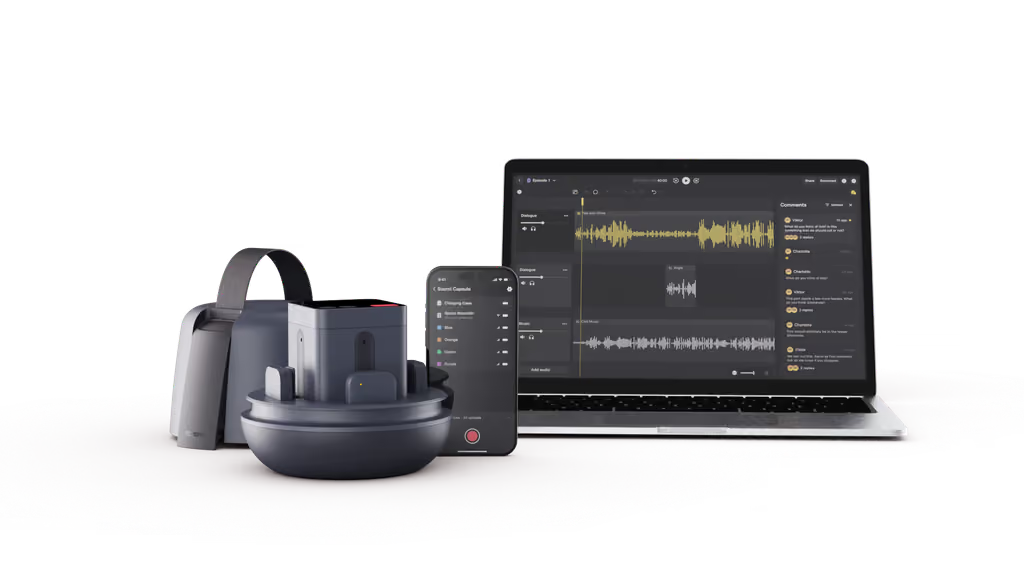
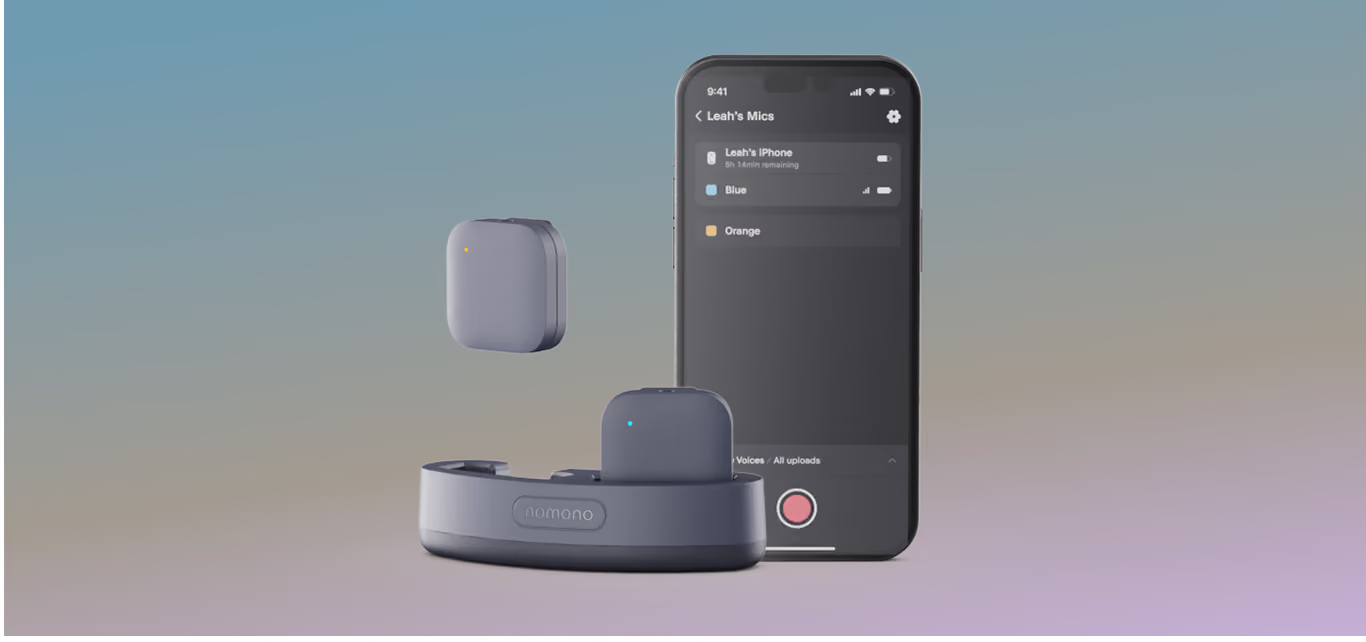
The Nomono Sound Capsule is the portable setup, and it replaces the entire cable-and-console category for location work. The 2.9 lb kit holds four Stellar wireless lav mics and the Space Recorder in a charging case, sets up in the time it takes to clip mics on speakers, records every voice locally as an independent WAV, and uploads to Studio Cloud for enhancement and editing. Pricing is $99/mo on the Premium plan, $1,188 for the first year, detailed on the Studio pricing page. The tradeoff is the subscription model against the one-time purchase of a console. Field producers can hear how it performs in practice in the We Are Makers case study, recorded across workshops and studios rather than in one.
Teams should buy for throughput, and throughput comes from removing handoffs rather than from better mics. A branded show touches a producer, an editor, and often a marketing reviewer, so a workflow where recordings land in shared cloud projects beats one built on SD cards and file transfers. The Sound Capsule plus Studio Cloud Premium is built as exactly that pipeline: capture on location, automatic enhancement, browser-based collaborative editing, and export. Organizations starting a show from scratch can pair this setup with Nomono's guide to how to start a business podcast, and education teams have a dedicated walkthrough in the 2026 guide to podcasting in education.
Upgrade when a specific bottleneck appears, and name the bottleneck before spending. Four signals reliably justify new gear: setup takes longer than recording, audio quality varies between episodes or between speakers, the show starts recording in more locations or with more people than the current kit handles, and editing or file handling has become the slowest step in publishing.
Spending against anything other than a named bottleneck usually buys complexity instead of quality. A solo host with clean audio and a steady schedule gains nothing from a four-channel console. A team losing hours to file syncing gains nothing from a better microphone. Audio quality upgrades do pay off commercially once a show is growing, since listeners abandon poor-sounding episodes, a link Nomono examines in why audio quality impacts podcast growth and monetization. Creators comparing notes before an upgrade can also read verified customer accounts on the Nomono reviews page.
The best podcasting equipment in 2026 depends on how many people you record and where. A solo desk host is covered by the $299 Shure MV7+. Multi-person shows recorded in real rooms are best served by the Nomono Sound Capsule, which pairs four wireless mics with cloud enhancement and editing in one 2.9 lb kit. Fixed studios with four wired mics are the RODECaster Pro II's territory at $595.
Beginners should buy the simplest reliable setup: one microphone, a computer or phone to record on, and basic editing software. The $299 Shure MV7+ or a starter wireless kit like Nomono's Stellar Kit at $348 for the first year both fit. Clear speech and a repeatable routine matter far more at the start than expensive gear, and a simple setup is the one you will actually keep using.
Three things are genuinely required: a microphone that captures your voice clearly, a device that records and stores the audio, and an editor to trim and publish episodes. Nothing else is mandatory. Many successful podcasts started on a single mic and a laptop and upgraded only when a specific limitation appeared, so treat everything beyond those three items as a response to a real bottleneck.
USB microphones are better for solo recording at a fixed desk, and wireless microphones are better for conversations, guests, and location work. A USB mic like the MV7+ is simple and cheap but ties the show to a computer. Wireless systems such as the Rode Wireless Pro or Nomono's Stellar mics clip onto each speaker, set up in seconds, and let people move naturally, which is why multi-person shows almost always end up wireless.
One microphone per speaker is the standard. Sharing a mic or relying on distance pickup produces uneven levels between voices, and uneven source audio is the hardest problem to repair in editing. A co-hosted show needs two mics, a four-person panel needs four, which in practice means a four-input console like the PodTrak P4 or a four-mic wireless system like the Sound Capsule.
Yes, and most podcasts in 2026 are recorded in homes, offices, and event spaces rather than studios. Good results outside a studio come from close mic placement, gear built for real environments, and a workflow that cleans up noise and acoustics in post. Portable systems like the Sound Capsule are built for exactly this, recording locally on each mic and enhancing the audio in the cloud afterward.
Reliability first, then fit. A good setup has long battery life, local backup, and one independent track per speaker, sets up the same way every time, matches your actual speaker count, travels if your show travels, and connects to an editing workflow you will keep up with. The goal of the whole purchase is to shrink the gap between recording an episode and publishing it.
Teams buy for speed and collaboration where solo creators buy for simplicity. A branded or agency show needs gear that handles multiple speakers, works across locations, and lands recordings in a shared editing workspace instead of on someone's SD card. Removing manual file handling between producer, editor, and reviewer is worth more to a team's publishing pace than any single microphone upgrade.
Upgrade when a specific bottleneck appears, and not before. The four reliable signals: setup takes longer than recording, quality varies between episodes or speakers, you start recording in more places or with more people than the kit supports, and editing or file handling has become the slowest step. An upgrade aimed at a named bottleneck pays for itself. An upgrade aimed at a spec sheet usually adds complexity.
The Sound Capsule is worth it for shows that record in different places or need editing handled in the cloud, while the RODECaster Pro II wins for a permanent studio. The console is a one-time $595 purchase with four wired inputs and live mixing but no cloud editor. The Sound Capsule costs $1,188 in year one, records four people wirelessly anywhere, captures a spatial room track, and includes Studio Cloud for enhancement and collaborative editing.
Enjoy free express shipping to the listed locations within 2–5 business days.
 Austria
 Belgium
 Bulgaria
 Croatia
 Cyprus
 Czech Republic
.svg) Denmark
Denmark Estonia
 Finland
 France
 Germany
 Greece
 Hungary
 Ireland
 Italy
Italy Latvia
 Lithuania
 Luxembourg
 Malta
Malta Netherlands
 Norway
 Poland
 Portugal
 Romania
 Slovakia
 Slovenia
 Spain
Spain Sweden
 United Kingdom
 United States