Comparisons
November 5, 2026



To record a panel discussion without crosstalk chaos, give every speaker their own mic, record each mic to its own track, space the panelists apart and brief them on turn-taking before you hit record. Separate tracks are the key requirement: they let you reduce bleed, balance voices and fix overlaps in the edit, which a single mixed file never allows.
Crosstalk is one panelist's voice arriving on another panelist's mic. Every open mic in the room hears every voice, just at different levels and at slightly different times. On a panel, that is unavoidable. The goal is to keep each speaker much louder on their own mic than on anyone else's.
Two symptoms give it away. The first is a hollow, phasey sound: the same voice on two mics, a few milliseconds apart, smears when the tracks are mixed. The second is a noise floor that climbs each time you add a channel, because every open mic adds its own room sound, chair creaks and breathing. Both get worse as the mics get closer together, which is why spacing matters more than any gate.
Your recording format sets the ceiling on what post-production can repair. A single stereo file of the whole table cannot be pulled apart, because no version of any voice exists without the others on top of it. Multitrack capture, one file per speaker, is what makes gating, ducking and precise edits possible.
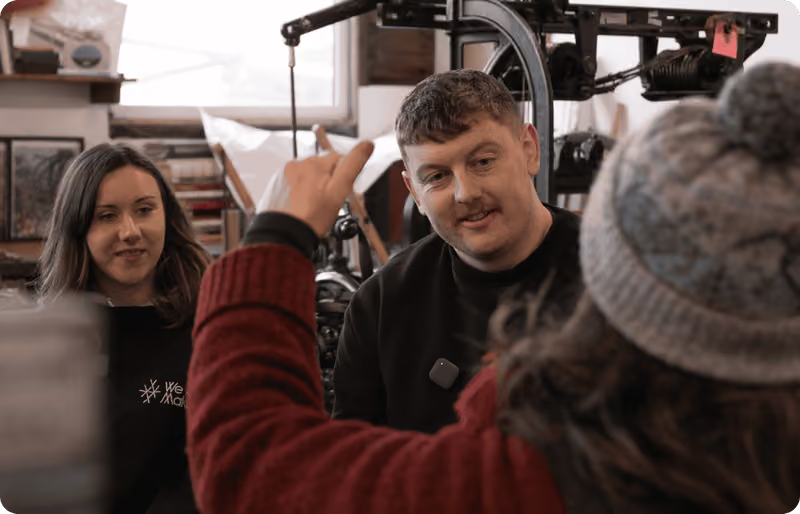
Clip-on mics suit panels well. A mic on the chest sits a few inches from its own speaker's mouth and several feet from the next person. Sound gets quieter quickly with distance, so that difference in distance becomes a useful difference in level. A single table mic in the middle gives every voice a similar path, so there is nothing to separate.
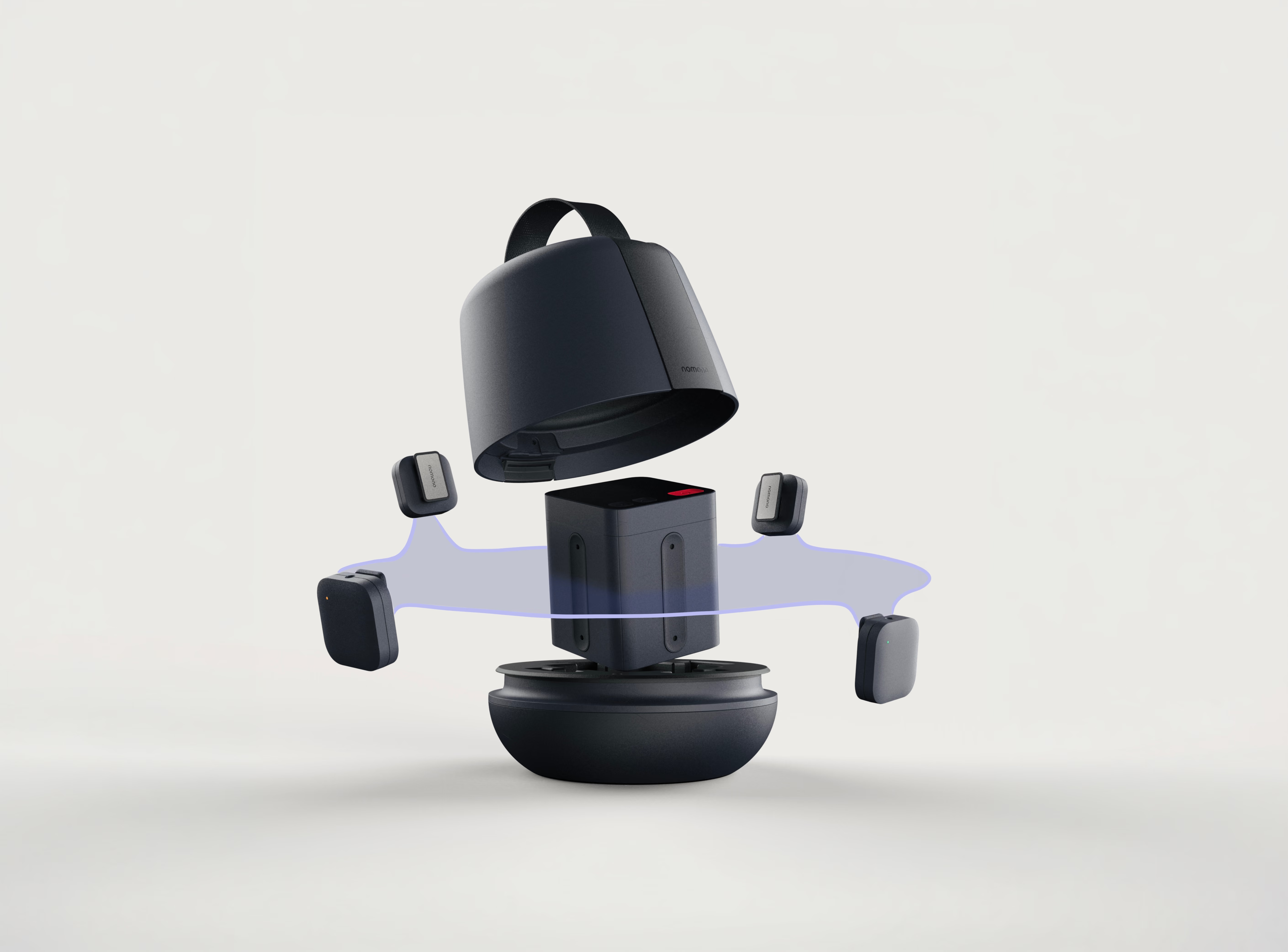
There are options at every budget. The Zoom PodTrak P4next ($179.99 list, $149.99 on sale at Sweetwater in Sep 2026) replaced the original PodTrak P4 and has four XLR inputs and four headphone outputs, which solves isolation if everyone sits within cable reach. RØDE Wireless GO (Gen 3) ($199 list, $169.99 at B&H or Sweetwater) has two transmitters, which cover two speakers, not four. For a four-person panel with nobody tied to a desk, the Nomono Sound Capsule puts four wireless Stellar mics, the Space Recorder and the charging case in one 2.9 lb kit. Our comparison of 4-person podcast setups covers more configurations.
Seating geometry is the cheapest crosstalk control you have. The table compares common panel setups in an ordinary, untreated room.
| Setup | Own mic distance | Bleed from neighbors | Fixable in post? |
|---|---|---|---|
| Clip-on mics, panelists about 3 ft apart | A few inches, steady | Low | Yes, gating works well |
| Clip-on mics, shoulder to shoulder | A few inches, steady | Medium | Partly, gates may cut words |
| Desk mics on boom arms | A few inches when still | Low to medium | Yes, if guests stay on-mic |
| One shared table mic | 1 to 3 ft, uneven | Everything on one track | No, voices cannot be separated |
Desk mics on booms isolate well when people sit still, and less well in a room where people gesture, lean back or turn to face whoever is talking. Clip-on mics travel with the speaker, so the mic-to-mouth distance holds for the whole session.
Leave about 3 feet between chairs and use a gentle arc instead of a straight line, so everyone can see everyone without turning away from their mic. In a straight line, the people at the ends tend to project across the table.
Clip mics on the chest, roughly a hand's width below the chin, on the outer layer and away from scarves, lanyards and open jackets. Clothing noise ruins more takes than bleed.

Have each panelist talk for 15 seconds while the others stay silent, then have the others talk while that person stays silent. What you hear on their track during the second half is your bleed level.
On a manual recorder, set each channel for the loudest laugh, not the conversational level, then leave it. On the Sound Capsule, auto-levelling runs on every mic, so nobody has to watch levels during the conversation.
Take 90 seconds before recording to explain turn-taking. The next section covers what to say.
Record 20 to 30 seconds with everyone silent. Noise reduction tools and editors both use it, and it is easy to forget at the end.
Overlaps cluster around questions and jokes. A moderator who says the next speaker's name gives everyone a clear handoff and gives the editor a cue point.
When several people talk at once, jot down the time. Finding those moments later across a long multitrack recording takes longer than fixing them.
The briefing does more than the gear. Cover four points: leave a beat of silence after someone finishes; show agreement by nodding rather than saying "mm-hmm"; if two people start at once, the moderator picks one and comes back to the other; and anything worth saying again can be re-recorded at the end.
The nodding rule matters most. When panelists stay quiet while agreeing, the gaps on their tracks are actually silent and gates do not flutter open on a murmur. People take a while to drop the habit, so start with a warm-up question you do not mind cutting.
It also helps to tell panelists that each of them has their own mic. Once people understand that an interruption is recorded clearly, most of them wait their turn.

Post-production on a panel follows a set order, and doing it out of order creates artifacts: align and sync, then clean, then gate, then balance.
A gate opens and closes based on level, and a noisy track gives it a moving target, so it opens on room sound and closes mid-word. Reduce the noise first and the gate has a cleaner gap between speech and background to work with. AI audio enhancement in Studio Cloud handles noise removal and audio enhancement on the separate tracks. Our guide on how to remove background noise from a recording covers the order of operations in more detail.
A panel where everyone waits perfectly sounds stiff. For real overlaps, lower the secondary speakers a few dB instead of muting them, so the moment still sounds like people in a room. Save hard cuts for moments where two voices genuinely cannot both be understood.
If you film the panel, line up the audio and camera files before you start balancing. Audio/Video Sync is free on every Studio Cloud plan; see how to sync Nomono audio with your camera. Transcription is unlimited on Studio Cloud Premium and makes it easier to find overlaps in the text instead of scrubbing the timeline.
Prices below come from our fact sheet, checked September 2026. Wired setups cost less; the Nomono price includes the cloud workflow.
| Setup | Price | What is included |
|---|---|---|
| Zoom PodTrak P4next + 4 Zoom ZDM-1 packs | $579.95 list | Recorder, 4 mics, headphones, stands, cables |
| RØDECaster Pro II 4-person kit | $2,229.65 at B&H | Console, 4 PodMic, 4 NTH-100, 4 PSA1+, cables |
| Nomono Sound Capsule | $1,188 | Recorder, 4 wireless mics, case, first year of Studio Cloud Premium included (600 AI min/mo, 600 GB) |
| Nomono Stellar Kit | $348 | 2 wireless mics, dock, first year of Studio Cloud Professional included (360 AI min/mo, 400 GB) |
The Stellar Kit suits a host and one guest rather than a four-person panel. Full plan details are on the Studio Cloud pricing page, and the step-by-step for four people is in how to record a 4-person podcast anywhere.
Four mics, four tracks, no mixer
The Sound Capsule records four wireless mics to separate tracks with auto-levelling on every mic.
Give each speaker their own mic, record each mic to its own track and space panelists about 3 feet apart. Multitrack capture is essential, because a single mixed file cannot be repaired. Record room tone and brief the panel on turn-taking before you start.
You can reduce it a lot on multitrack recordings and very little on a single mixed file. On separate tracks, noise reduction followed by a gate or careful editing removes most audible bleed. On one mixed file, the voices overlap in the same frequency range, so removal leaves obvious artifacts.
About 3 feet between chairs is a good target with clip-on mics. Closer seating raises the level of each neighbor on every mic, and gates start cutting words. A gentle arc keeps everyone in view without turning away from their mic.
Clip-on mics suit lively panels where people move. Desk mics on boom arms isolate well if guests stay in position but lose level when people lean back or turn. For an in-person panel without a fixed studio, clip-on wireless mics are the more forgiving choice.
Rarely, for speech. 32-bit float was designed for mixing in software, and a spoken recording typically spans 40 to 60 dB, well inside the 96 dB a 16-bit recording captures. Good mic placement and automatic levelling matter far more. The Nomono Sound Capsule records 16-bit/48 kHz voice tracks with auto-levelling on every mic, and our support article explains why 16-bit is enough for spoken audio.
Up to 10 hours on a charge, plus up to 15 more hours from the charging case. The Space Recorder stores up to 12 hours of recordings on 64 GB of internal storage, so a full day of sessions fits.
Give the moderator the same type of mic as everyone else and think about seating instead. Moderators talk more than anyone, so their voice lands on every other track; placing them at the open end of the arc keeps them a little farther from the guests' mics.
Written by Ruben Åeng, Lead Audio Engineer at Nomono
Audio engineer and Product Manager for spatial audio products at Nomono, with 15 years of experience in film and television sound. Before joining in 2021 he worked as a production sound mixer, dialogue editor and sound designer, with credits including the Oscar-nominated short “Night Ride”.
Enjoy free express shipping to the listed locations within 2–5 business days.
 Austria
 Belgium
 Bulgaria
 Croatia
 Cyprus
 Czech Republic
.svg) Denmark
Denmark Estonia
 Finland
 France
 Germany
 Greece
 Hungary
 Ireland
 Italy
Italy Latvia
 Lithuania
 Luxembourg
 Malta
Malta Netherlands
 Norway
 Poland
 Portugal
 Romania
 Slovakia
 Slovenia
 Spain
Spain Sweden
 United Kingdom
 United States